← pablin.me

For photographs shot more than once

Many shots.
One picture.

A lens holds one plane in focus. Noise is different in every frame and the subject is not. A person walking through a square is in one frame out of twelve. Each of those is the same problem — shoot it more than once, and decide, pixel by pixel, what to keep.

iPhone & iPad iOS 27 Free, then one $9.99 purchase

Download on the App Store

No accounts, no analytics, and no network calls of its own
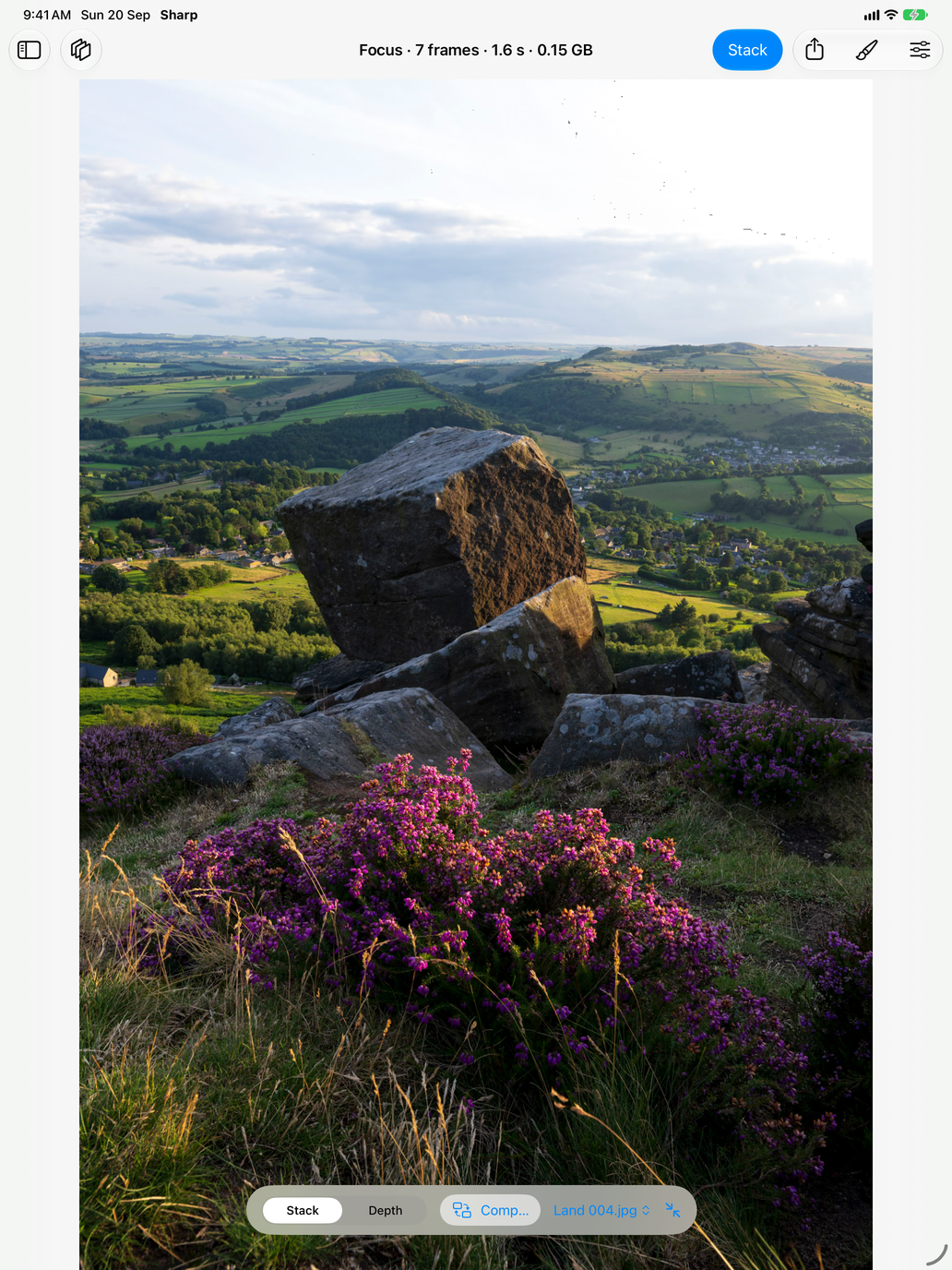
Sharp on an iPad: seven frames of heather, a boulder and a valley merged into one photograph that is sharp from the flowers at your feet to the fields on the horizon
SEVEN FRAMES · 1.6 SECONDS · 0.15 GB

The five tools

One engine, five questions

Focus — sharp from front to back

Move the focus between frames and Sharp takes every part of the result from the frame that has it sharpest. Macro, product work, a landscape with heather at your feet and a valley behind it.

Clean — less noise, and long-exposure water

Averaging frames takes the noise down by the square root of how many you shot: four halve it, sixteen quarter it. It is also a long exposure without a filter — water and cloud average into smoothness while everything that held still stays sharp.

Vanish — the people walk out of the picture

Stand still and shoot a dozen frames a few seconds apart. At each pixel Sharp keeps the frames that agree with each other and throws out the ones that do not, then averages what is left. Whoever was walking through was never in most of the frames, so they go — and because it averages rather than picking a middle frame, the noise goes with them.

Trails — every place the light went

A hundred short exposures of a night sky, a torch drawing, headlights on a bend. The brightest frame wins each pixel, so every mark the light made is kept and the sky stays as dark as one frame had it. Or keep the darkest frame instead, and take the passing lights out.

Pick — the sharpest frame of the burst

Twenty handheld frames, one caught between heartbeats. Sharp measures the detail in each and hands back the one that won, exactly as it came off the camera.

How it works

Built for sets nobody else will take

Frames are read a strip at a time, so a fifty-frame set of 45-megapixel RAW never has to fit in memory. Ten 45MP frames average in about a second and a half on an M-series machine; thirty of them go through the removal tool in the same memory as ten.

Alignment covers focus breathing and the drift between handheld shots, and it checks its own work before using it — a registration that does not measurably improve on leaving the frame alone is not used. The removal tool does not align at all, on purpose: registration looks for the strongest thing the frames share, and in a set whose point is that something moved through it, that can be the very thing you are removing.

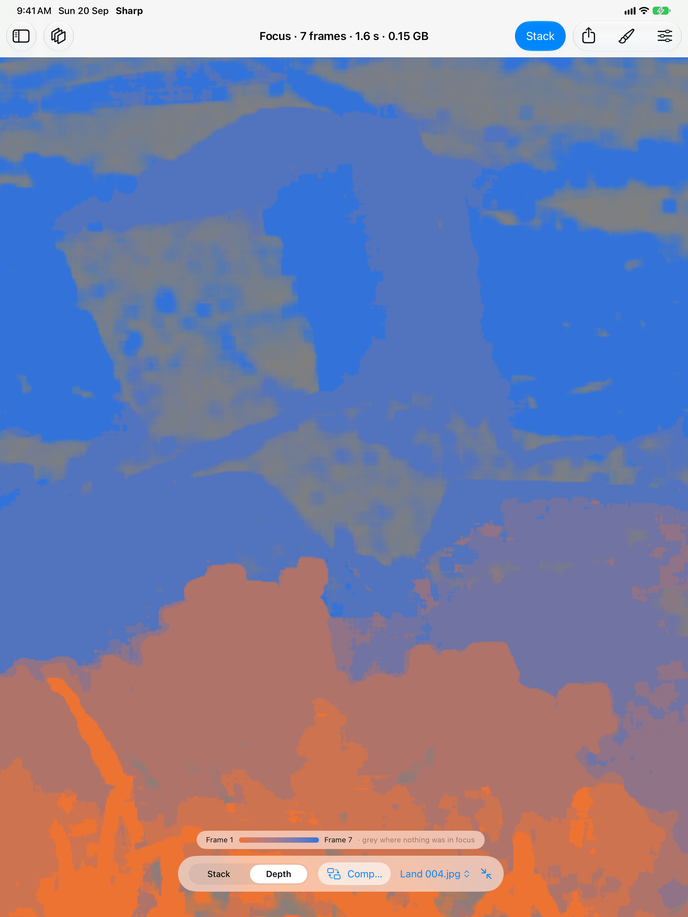
Beside every result is the map of how it was decided: depth for a focus stack, which frame left each mark for trails, and for the removal tool, a picture of exactly what was thrown away.

The depth map of the same stack: warm colour across the foreground heather, cool across the distant valley, and flat grey across the sky where nothing was in focus
THE DEPTH MAP — WHICH FRAME EACH PART CAME FROM

Price

Free, and then one payment

All five tools run on up to 12 frames free, at full quality: the same alignment, the same merges, the same speed, the same RAW support, and a full-resolution JPEG with no watermark. Nothing about how good the picture is has been held back.

$9.99 removes the frame limit and adds the retouch brush, 16-bit TIFF and map export, and a second way of merging a focus bracket. One payment for all five tools, shared with your family. No subscription, no account, no sign-up, and not a timed trial.