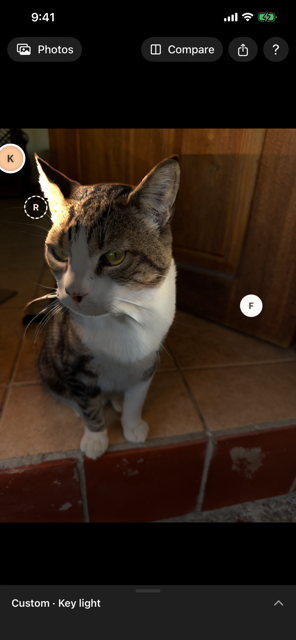
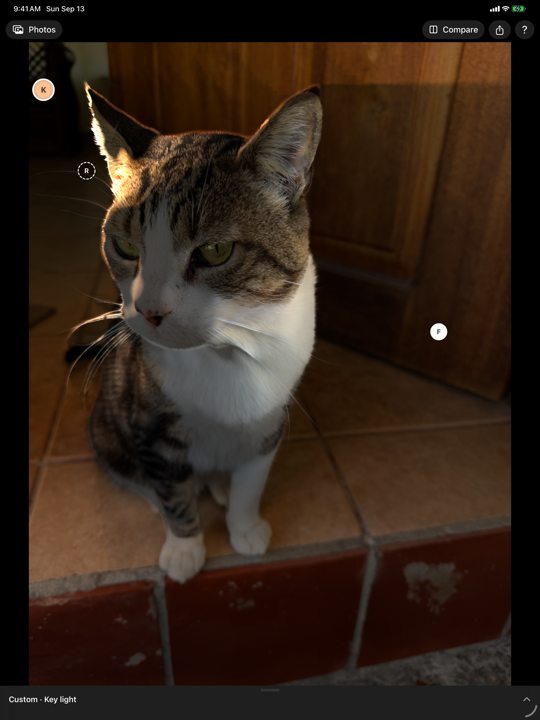
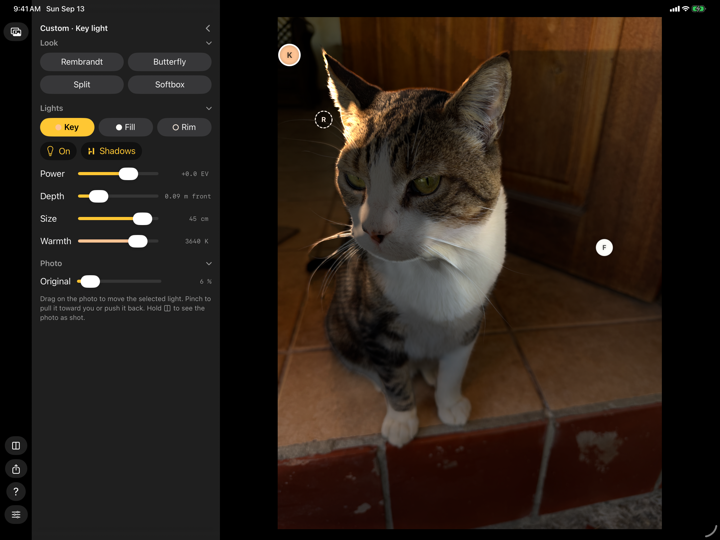
A filter brightens pixels. Rake lights a surface: it knows how far away every part of the picture is, so the light falls off, wraps around a face and is blocked by whatever stands in its way.
I
Start from a look
Rembrandt, Butterfly, Split and Softbox — four classic portrait setups, placed around your subject in one tap. A look is a starting point; change any light and it is yours.
II
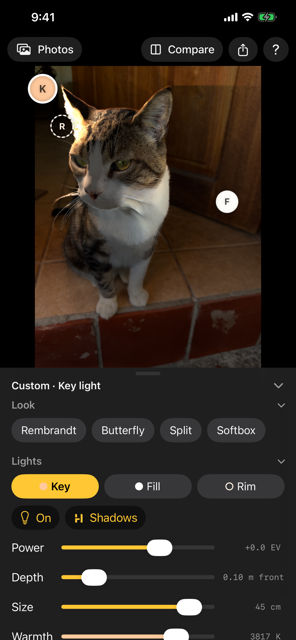
Three lights, like a studio
The key makes the shadows. The fill lifts them. The rim sits behind your subject and draws a bright edge along hair and shoulders.
III
Move them with your finger
Drag a light across the photo. Pinch to pull it toward you, or push it back behind your subject.
IV
Shape every light
Power in stops, how far in front or behind it sits, its size — small for crisp shadows, large for soft ones — its warmth, and whether it casts shadows at all.
V
See the difference
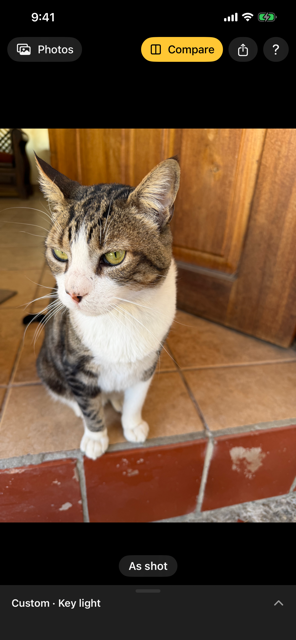
Hold Compare to see the photo as it was taken. Share saves or sends the relit photo at its full resolution.
VI
Any photo, too
Portrait photos relight most faithfully. Any other photo gets its depth estimated on your device; the light is convincing and the shadows are less exact.