Hindcast · A weather app
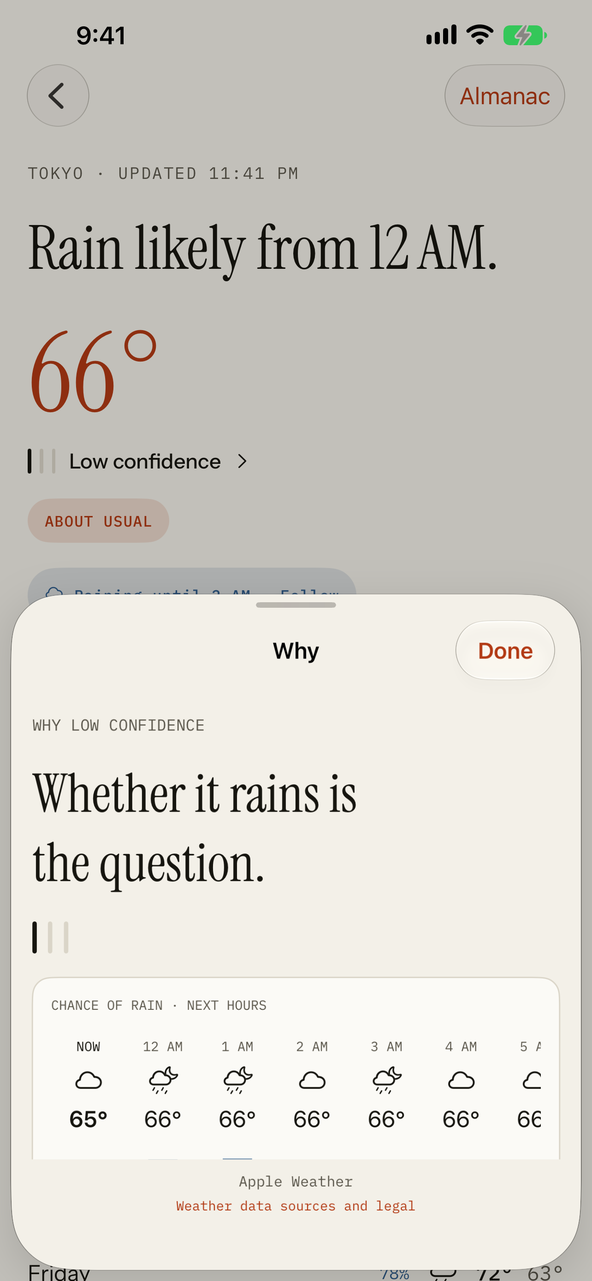
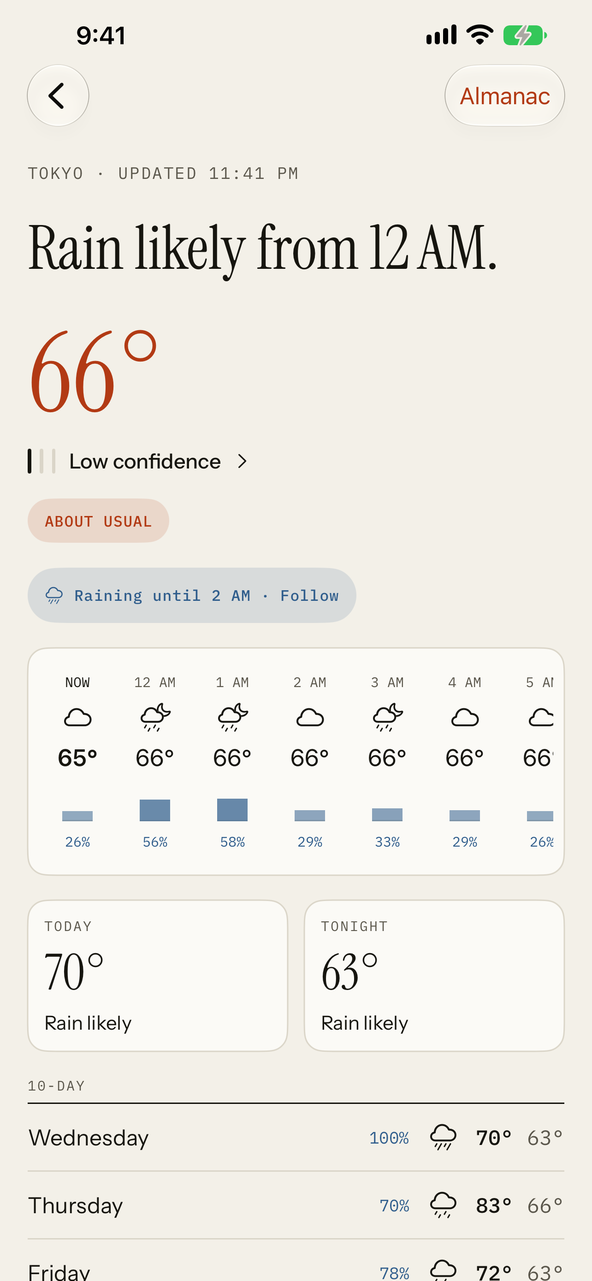
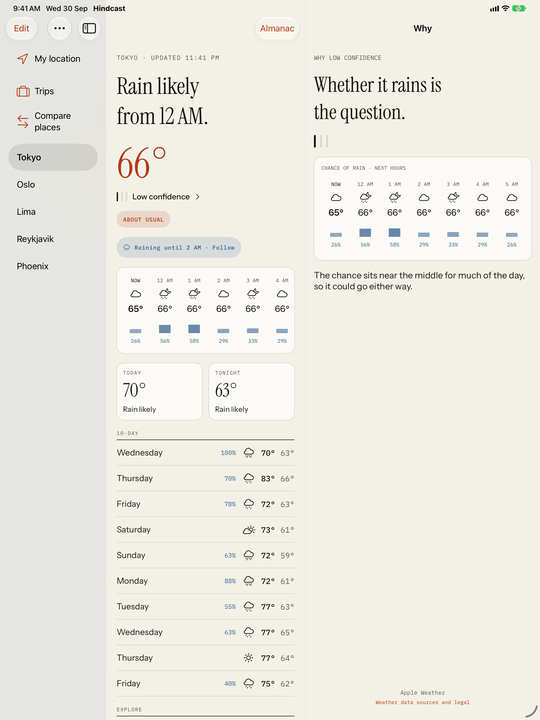
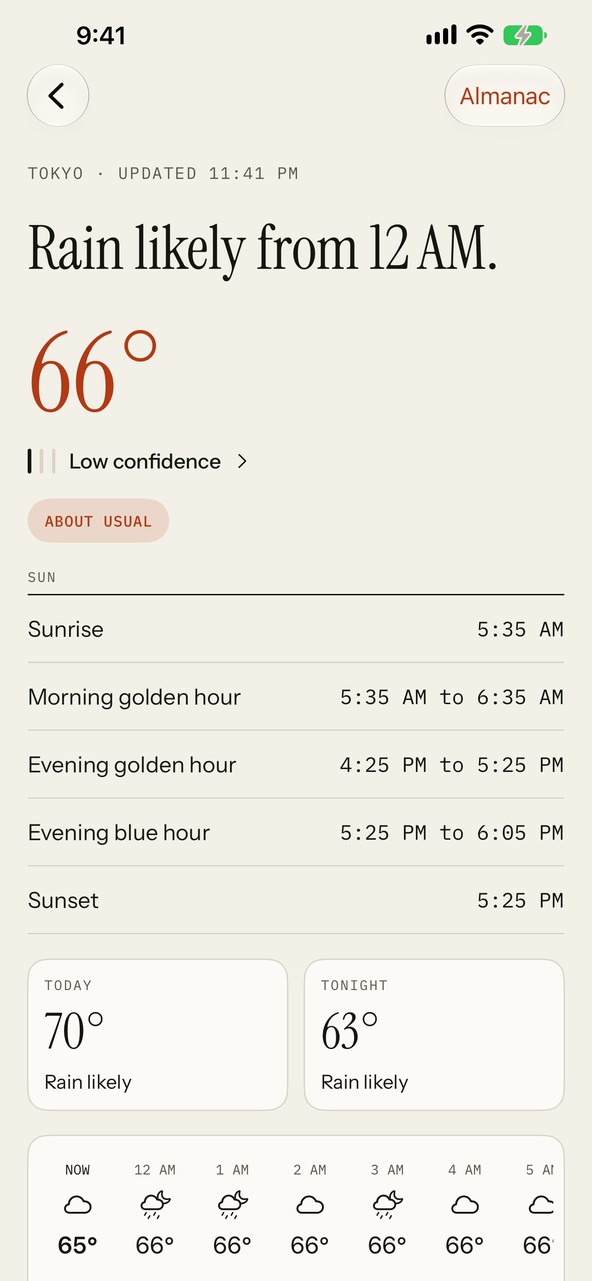
Hindcast gives you one plain sentence, the temperature, and three tally marks for how steady the next hours look. Tap them for the reason in words. Everything deeper is one tap further, never all at once.
Coming to the App Store
What it does
Most weather apps give a number and a cloud. Hindcast also says how much to trust them, and keeps the rest one tap away.
A headline sentence, the temperature, confidence marks, the next hours with their chance of rain, Today and Tonight, and a 10-day list. Official alerts appear at the top with a link to the source.
Plain reasons behind the number: whether the question is if it rains or when, with the chances laid out hour by hour.
Tap any hour or day for its temperature, rain chance and amount, wind, UV, cloud cover, sunrise, sunset, golden hour and moon.
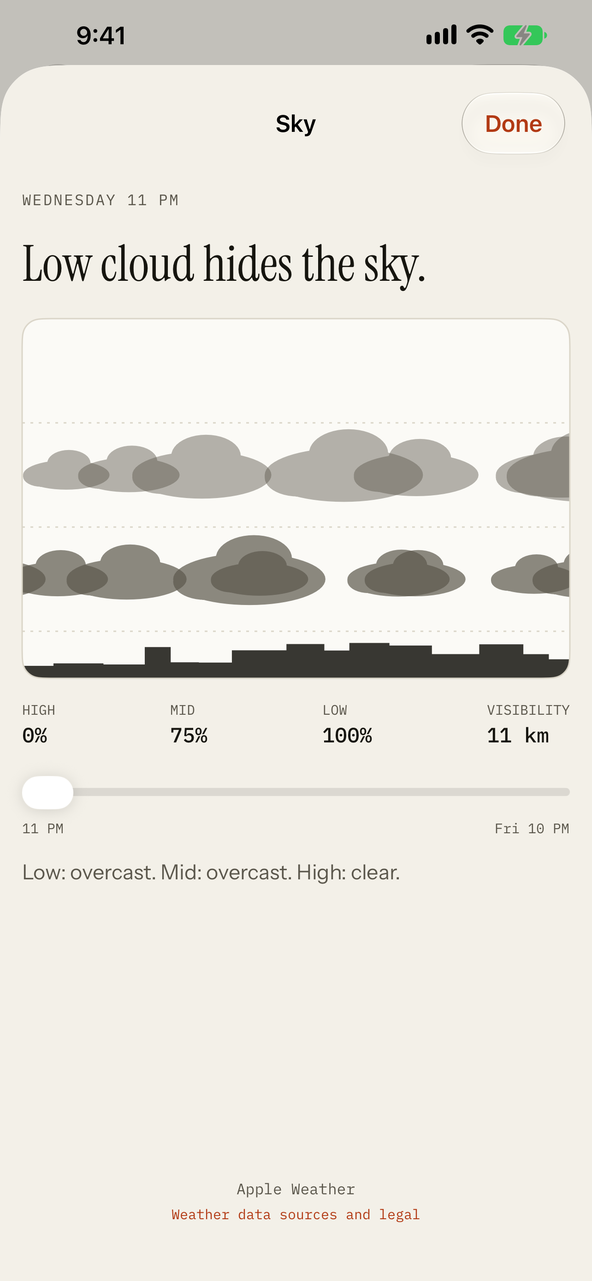
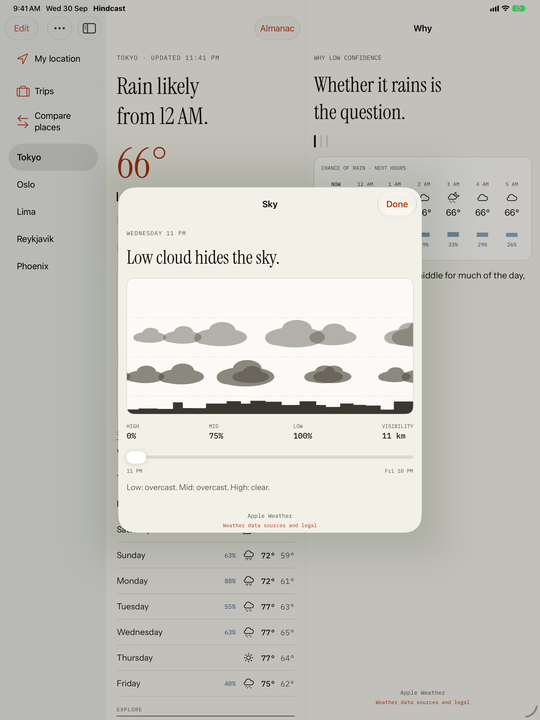
Cloud at three heights drawn as layers over a skyline, with a slider through the hours and the visibility.
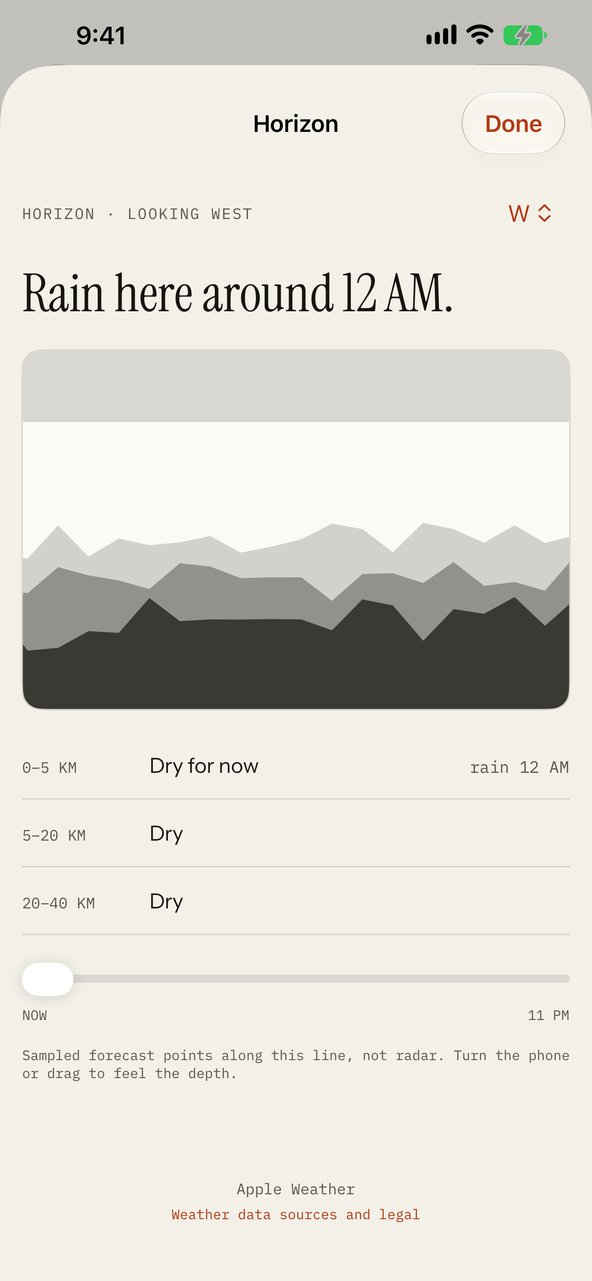
Pick a direction and see rain out to 40 km: how far away it is and when it reaches you. Drawn from forecasts at a few points along that line, not from radar, and it says so.
Today against the typical high for the date, the typical high and low for every month at that place, and, from the record Hindcast keeps, the last 30 days of highs.
Units follow your device's region (°F, mph and inches in the US; °C, km/h and mm elsewhere). Search for a place by name, save as many as you like, and see your current location; times always read in the place's own time zone. Hindcast has no radar, and the confidence marks are a first rule, not a promise.
Built for the bigger screen
On iPad the next depth opens beside Today instead of over it, so the headline and the reason sit side by side. Light and dark follow your device.
Hindcast Pro
An optional yearly subscription, US$9.99 a year in the US (other storefronts are priced by Apple). It renews every year unless you cancel at least 24 hours before the period ends; manage or cancel it in your Apple Account settings. Anything that needs Pro shows a small lock in the app.
Pro · The Almanac
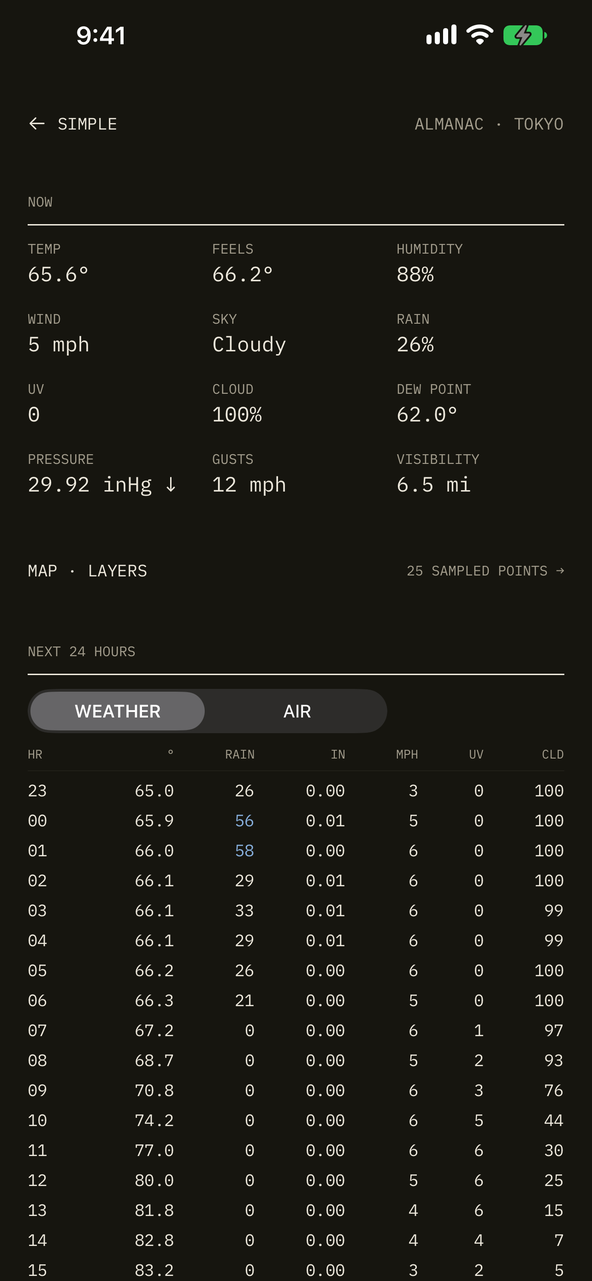
The Almanac is the same forecast turned over: every number Apple Weather provides, in tables. Now, the next 24 hours and the next 10 days, with dew point, pressure and its trend, gusts, visibility, the kind of precipitation, and Apple's own daytime and overnight forecasts. A switch between Weather and Air changes the columns.
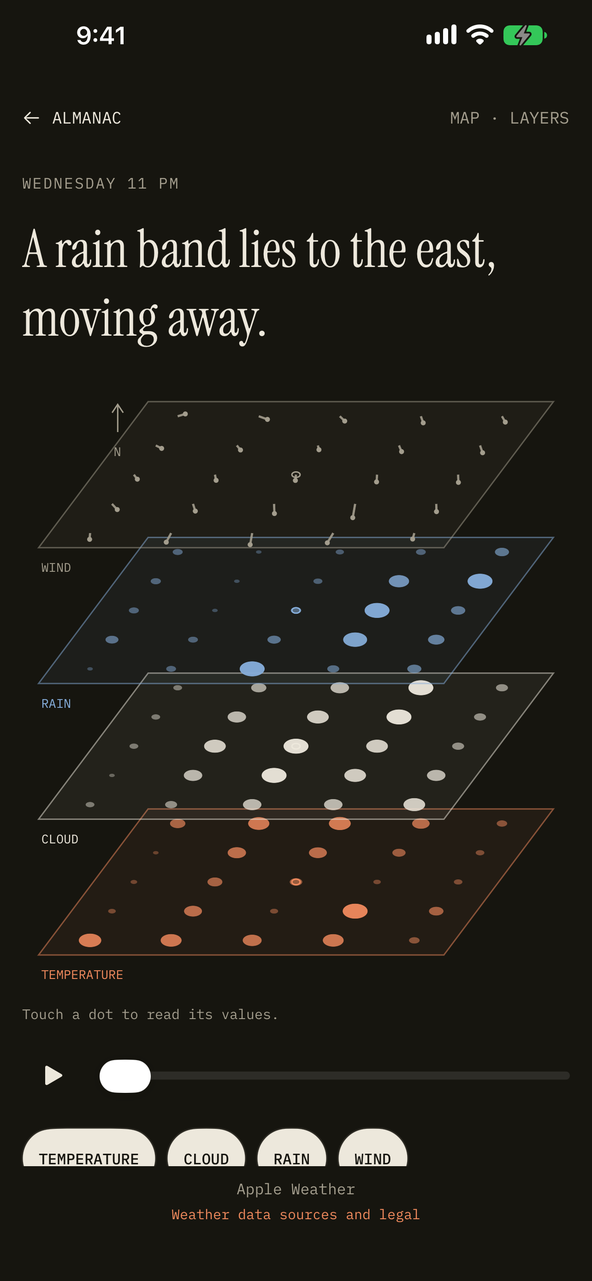
The layer map samples a 25-point grid around the place: wind, rain, cloud and temperature as four sheets you can touch, scrub through the hours and play. It is sampled forecast points, not radar, and says so on screen.
Pro · Report card, best time, compare
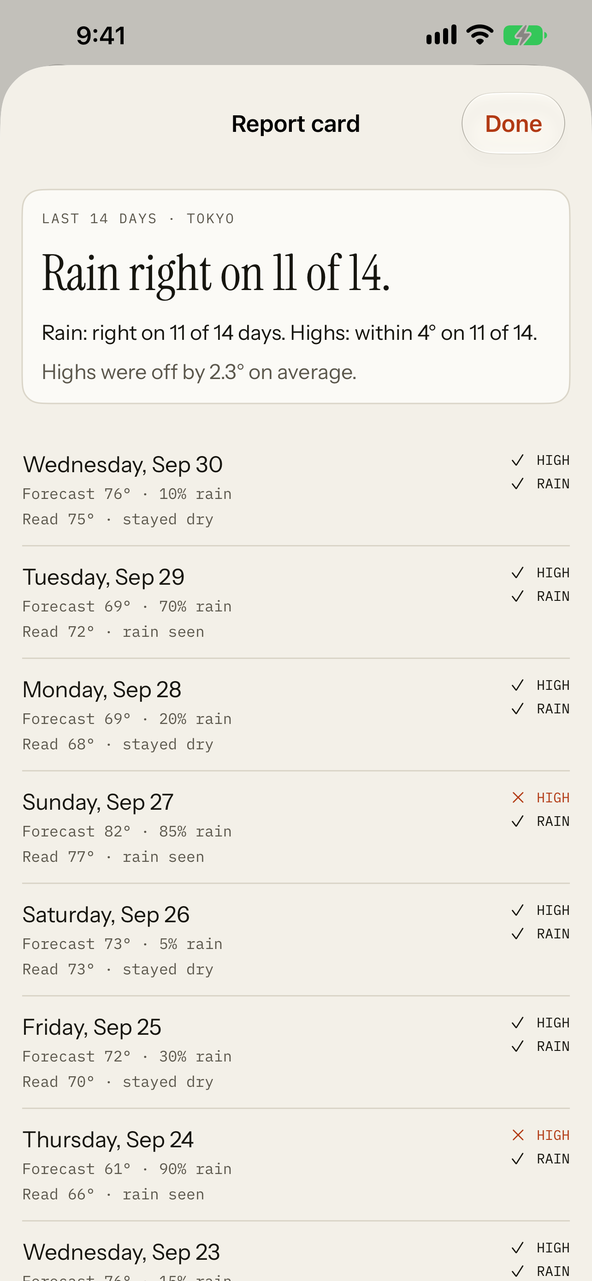
Report card. WeatherKit has no past days, so Hindcast keeps its own record on your device: what each day was forecast to be the day before, and what it read while the app ran. The report card shows how the rain calls and the highs held up, day by day, and exports the record as a spreadsheet. The days shown here are sample data.
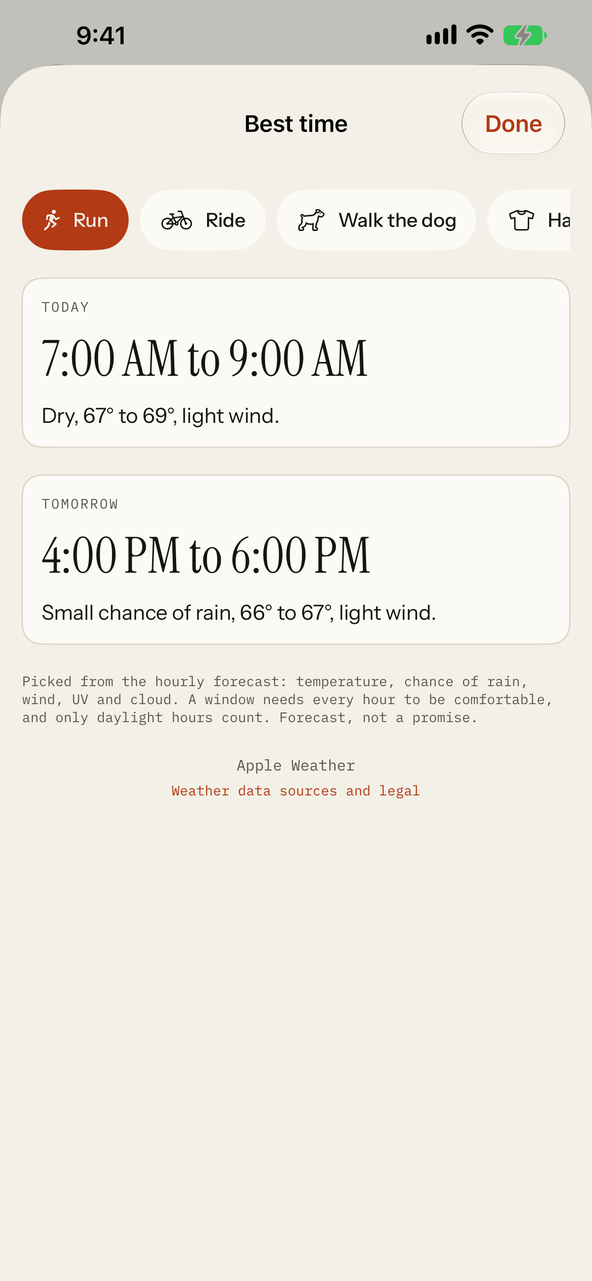
Best time. The best hours today and tomorrow to run, ride, walk the dog, hang laundry or eat outside, picked from the hourly forecast with the reason. A forecast, not a promise.
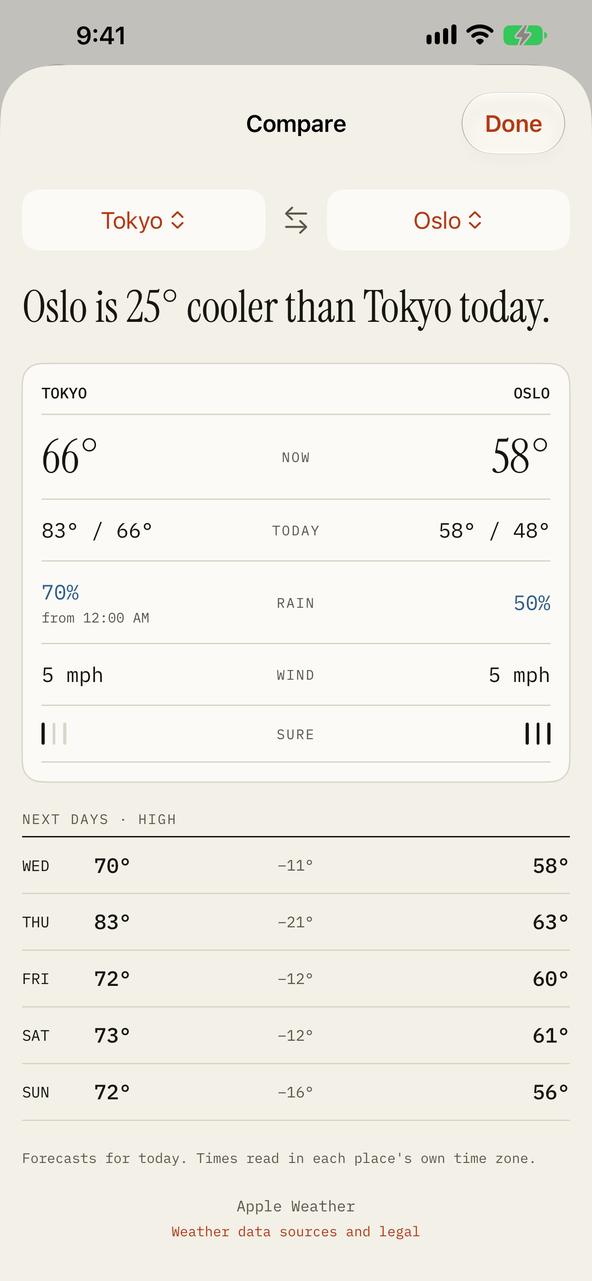
Compare places. Two saved places side by side: now, today, rain, wind, how sure each forecast is and the next days, with a sentence on how they differ.
Pro · Trip forecast
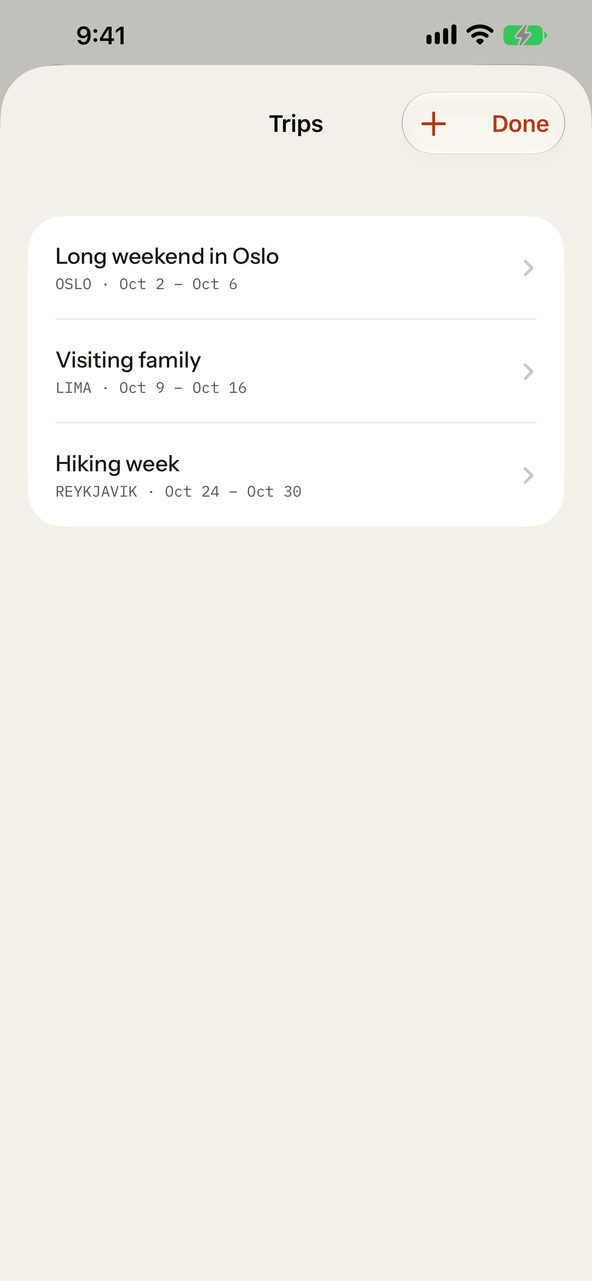
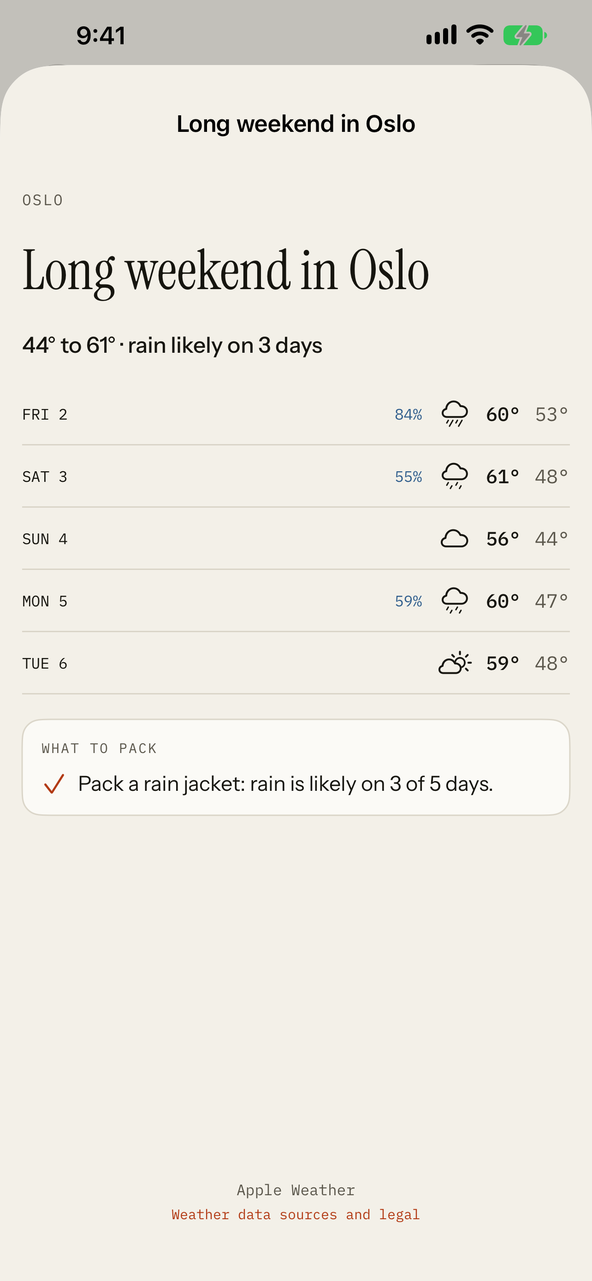
Add a place and the dates. Each day of the trip shows its forecast and what to pack. Forecasts reach ten days ahead; later days show the typical weather for the month at that place, marked as typical.
Pro · Notifications
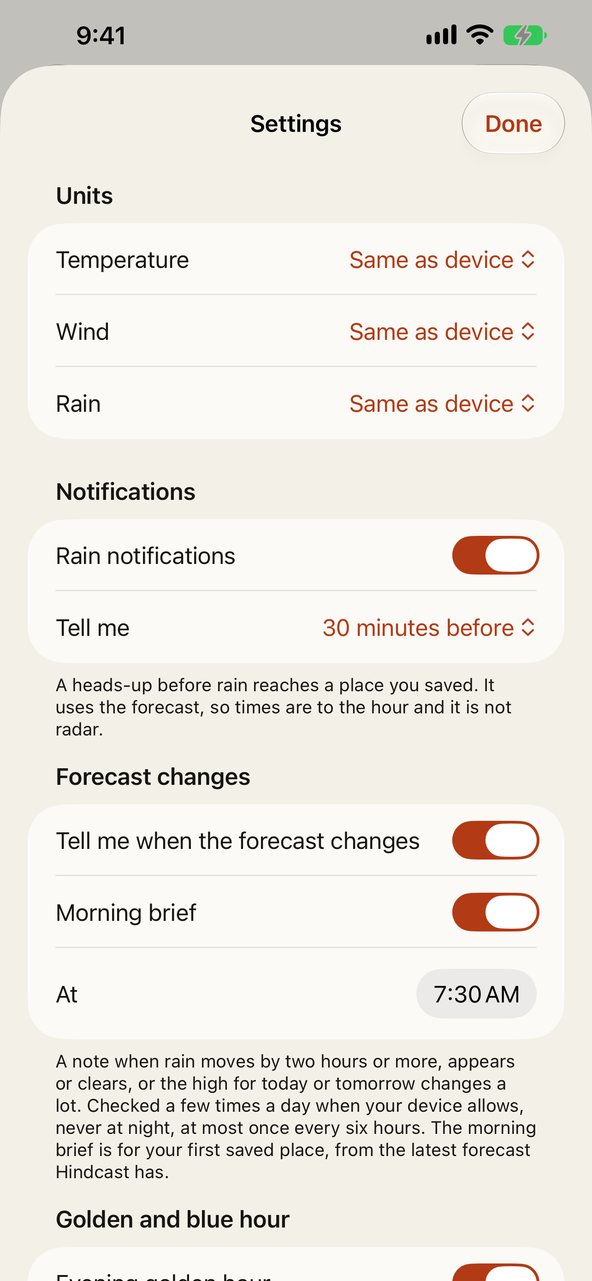
Notifications are planned on your device from the forecast Hindcast has already loaded, and refreshed a few times a day when your device allows. There is no server and nothing is sent to anyone. They are forecasts, not radar, and they never claim to be more.
Pro · Make it yours
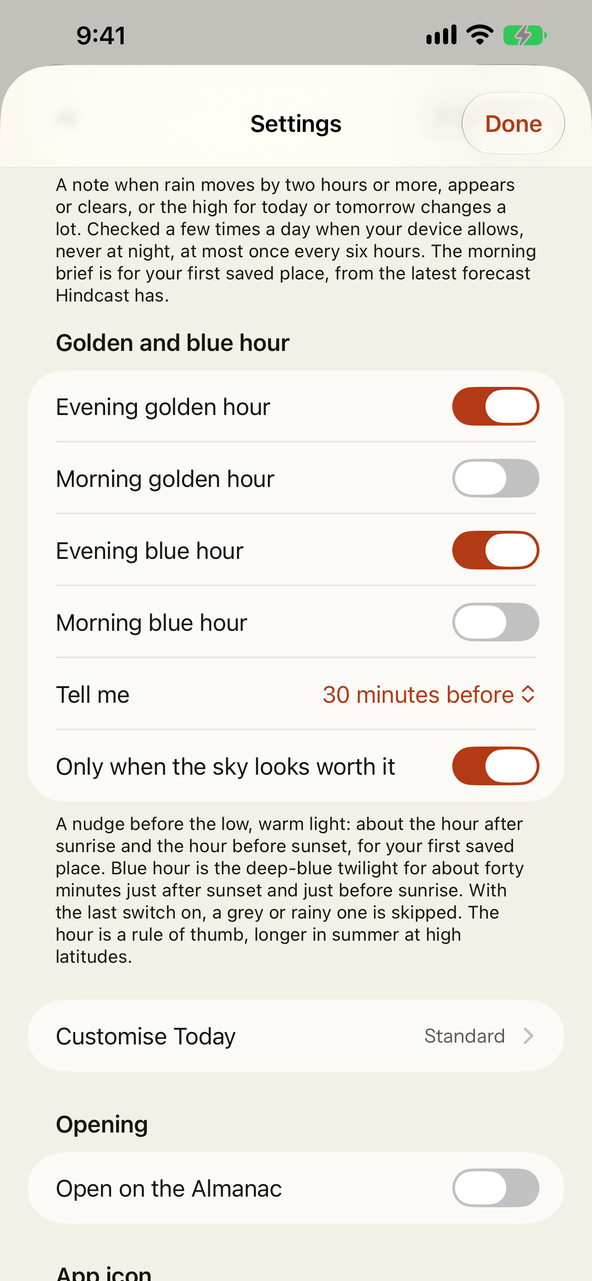
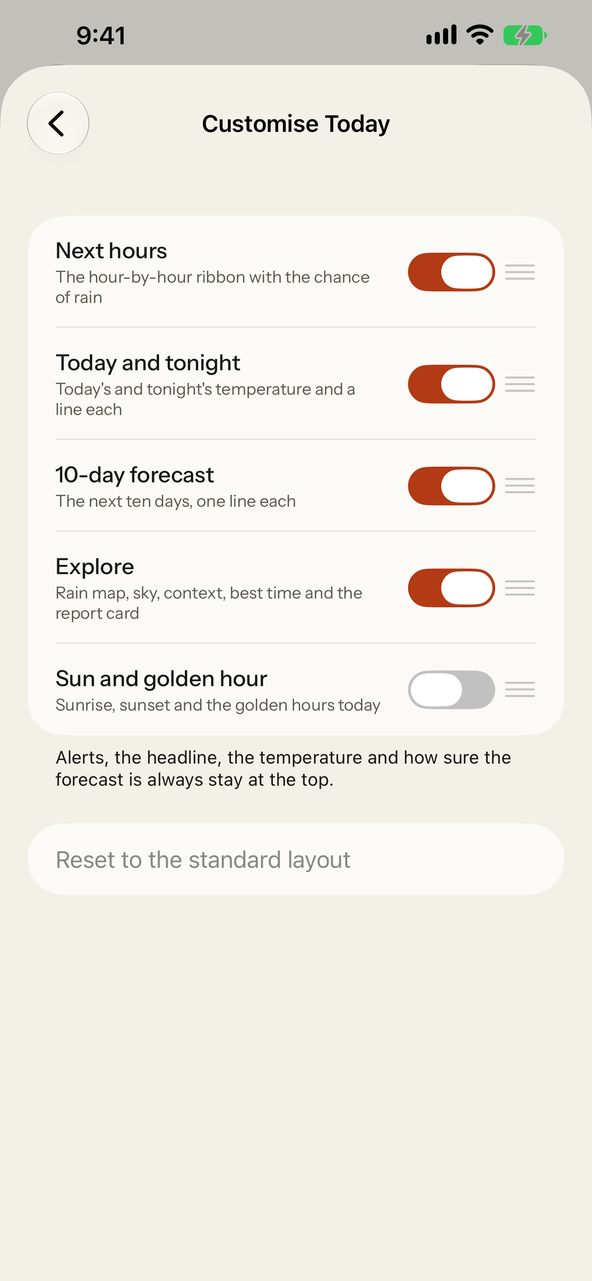
Customise Today. Switch the cards below the headline on and off and drag them into the order you like, with an optional sun card that lists sunrise, sunset and the golden and blue hours. Alerts, the headline, the temperature and the confidence marks always stay at the top.
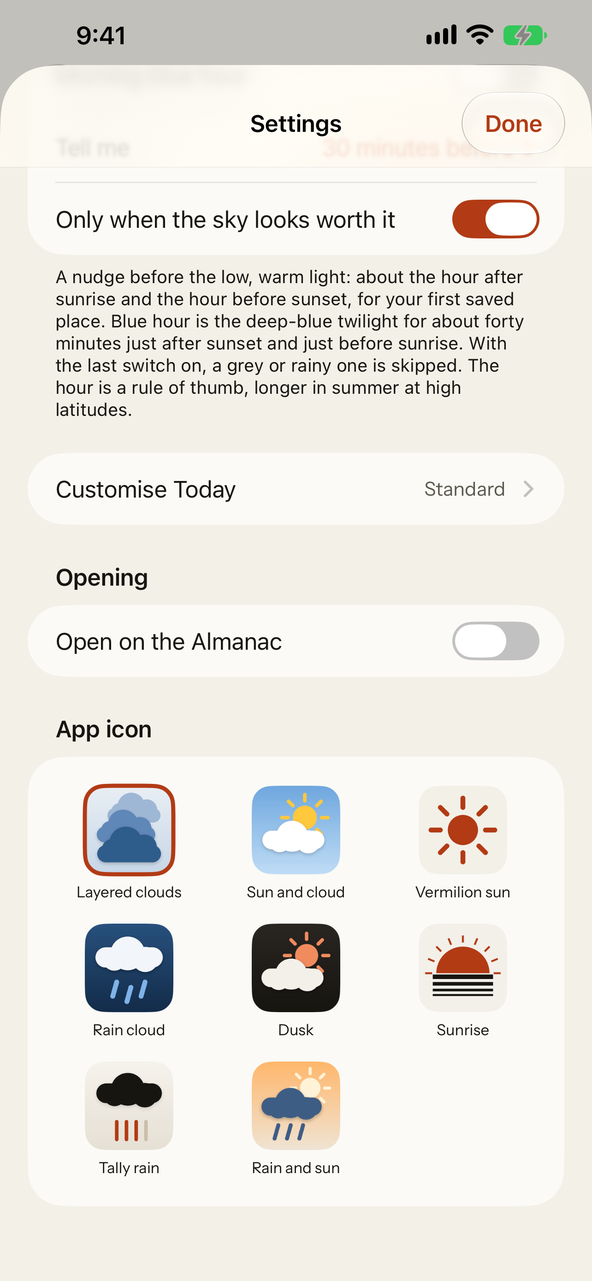
Settings. Choose your own temperature, wind and rain units, how long before rain you are told, and whether Hindcast opens on Today or the Almanac.
App icons. Seven alternate icons for your Home Screen, from layered clouds to a vermilion sun.
Pro · Everywhere you look
Point a Home Screen or Lock Screen widget at any saved place: touch and hold, Edit Widget, choose. The widgets read what the app last loaded, so they never spend a forecast request of their own.
Five actions: will it rain, will it rain at a time, the forecast, the forecast for a trip, and the best time. Ask Siri, find them in Spotlight, or build them into a shortcut. The answers come from the same forecast as the app.
Apple Watch · Complications are Pro
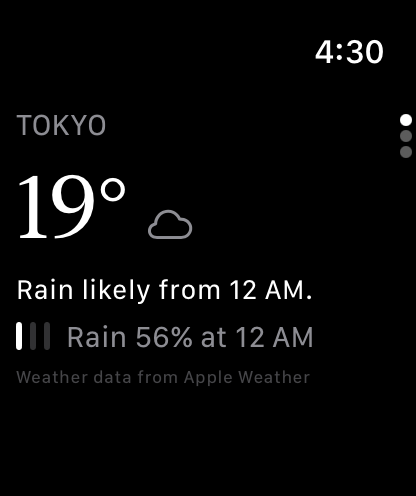
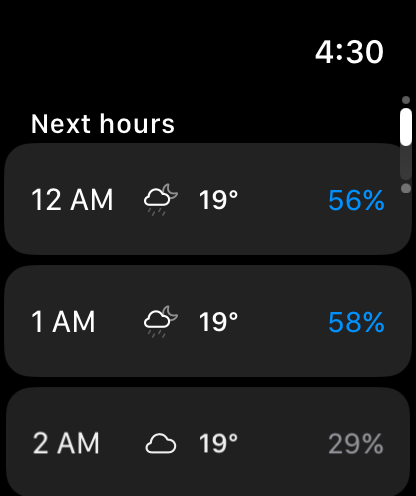
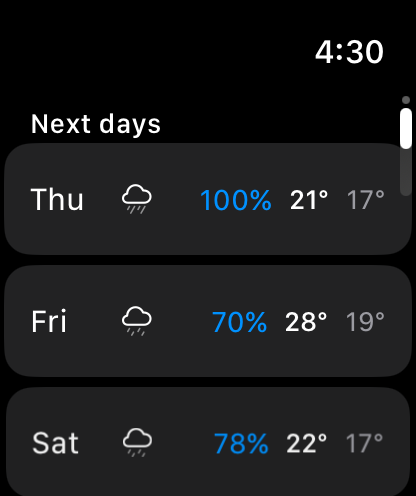
A companion Watch app shows the place you last looked at on your iPhone: the temperature, the headline, the three confidence marks, the next hours with their chance of rain and the next days. It gets everything from your iPhone, so the Watch never asks for a forecast of its own.
With Hindcast Pro, add a complication to your watch face: the temperature, how sure the forecast is, and when rain is next due, in circular, rectangular, inline and corner sizes. Open Hindcast on the iPhone to refresh it.
Hindcast has no radar. The Horizon and the map are built from sampled forecast points, and say so on screen. Weather data provided by Apple Weather. Your location goes to Apple for the forecast and nowhere else; the places you save stay on your device.
A weather app that says how sure it is. Free, with Hindcast Pro as one optional yearly subscription.
Coming to the App Store
iPhone, iPad & Apple Watch · iOS 18 or laterWeather data provided by Apple Weather.