← pablin.me

Light, air and focus, on iPhone and iPad

Change the photo
after the shot.

Rake Plus reads how far away every part of your picture is, and works from that the way a real lamp, real fog and a real lens would: it clears haze by distance, relights with real shadows, fills the air with fog and shafts of light, and moves the focus.

iPhone & iPad iOS 17 Free Pro unlock

Download on the App Store

On your device; the App Store is its only connection
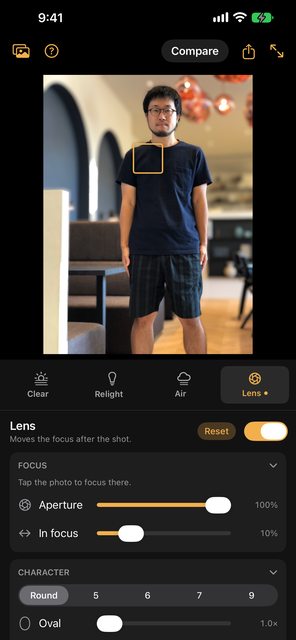
Rake Plus with Lens open: a man in a café in sharp focus, the café behind him softly blurred, and the focus point marked on his shirt
FOCUS MOVED AFTERWARDS
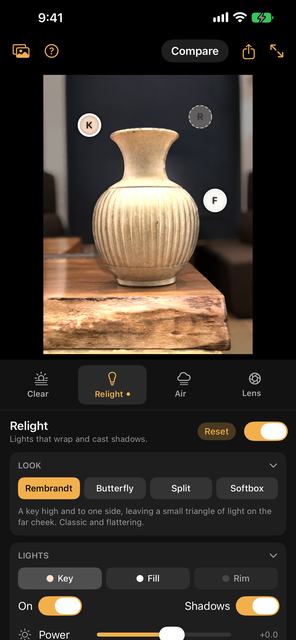
Relight on a ceramic vase, with the key, fill and rim lights marked K, F and R and the Rembrandt look chosen
RELIGHT
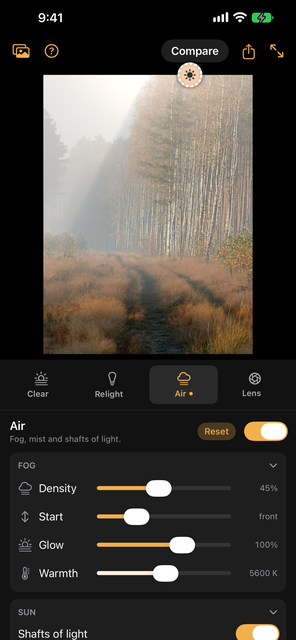
Air on a forest path: fog that thickens with distance, and a beam of sunlight falling through a gap in the pines
AIR
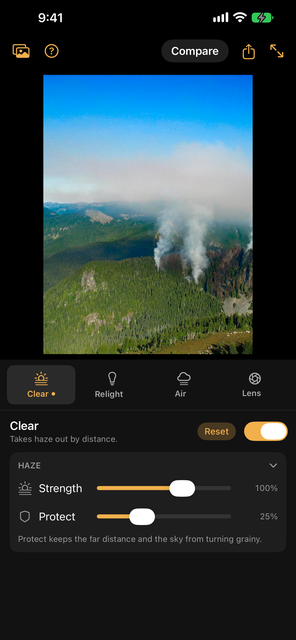
Clear on a mountain forest with smoke rising from it: the haze taken out, so the far ridges and the sky are crisp
CLEAR

The tools

Real depth, so real light, air and focus

A filter changes pixels. Rake Plus changes a scene: it knows how far away every part of the picture is, so light falls off and casts shadows, fog thickens with distance, and blur grows the farther something is from the focus.

I

Clear

Haze, smog and smoke thicken with distance. Clear measures how much haze lies at each distance in your photo and takes it away there: the far hills come back, and the foreground is left alone.

II

Relight

Four classic looks — Rembrandt, Butterfly, Split and Softbox — and three lights like a studio. Drag a light across the photo, pinch to push it behind your subject, and shape its power, size and warmth.

III

Air

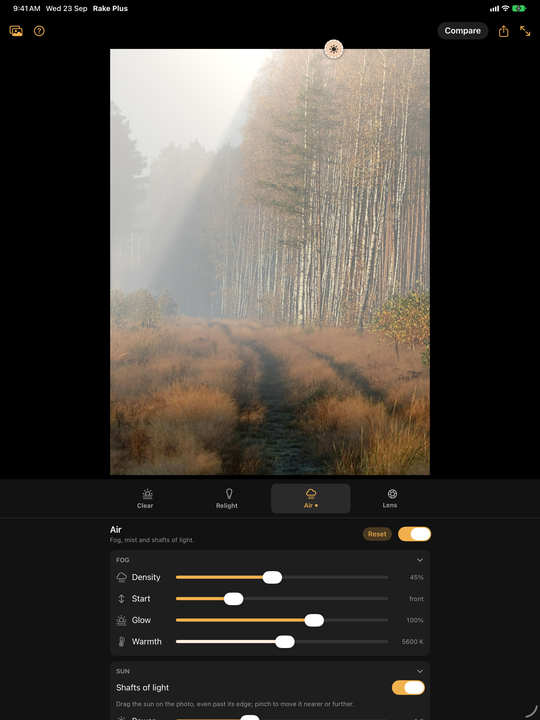
Fog that thickens with distance, so your subject stays clear while the background fades. Add a sun and the fog catches it: trees, windows and your subject block the light, and it falls through the gaps in shafts.

IV

Lens

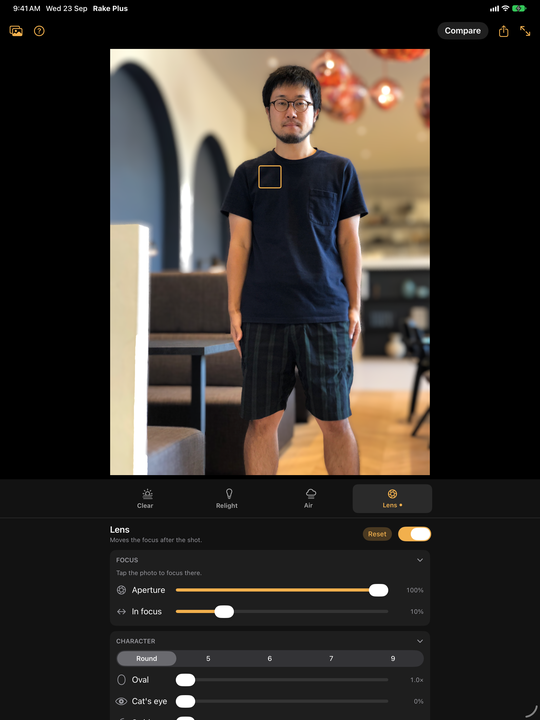
Tap where the photo should be sharp. The rest blurs the way a real lens would — round or bladed, anamorphic, cat's-eye at the edges, or with the swirl of old portrait lenses. On Portrait photos of people, the outline your iPhone saved keeps hair clean.

V

Together

The tools stack: haze out first, then your light, then the air, then the lens the whole scene is seen through. Hold Compare to see the photo as it was taken. Share saves or sends it at full resolution.

VI

Any photo, too

Portrait photos work best, because they carry the depth your iPhone measured. Any other photo gets its depth estimated on your device; the result is convincing, and less exact.

Rake Plus Pro

Four more tools, one purchase

Clear, Relight, Air and Lens are free and stay free. Rake Plus Pro is an optional one-time purchase that adds four tools, built on the same depth. Try any of them on your own photos first; the unlock is needed to save or share with them.

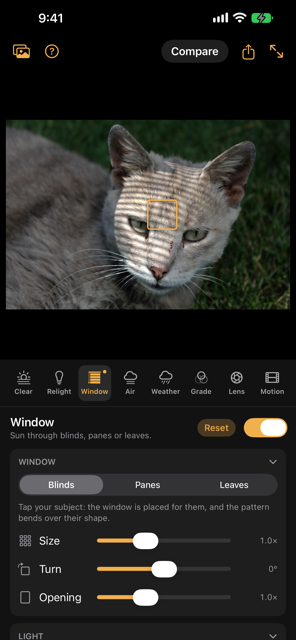
Window on a cat lying in grass: stripes of sun through blinds curving over its head and face
WINDOW
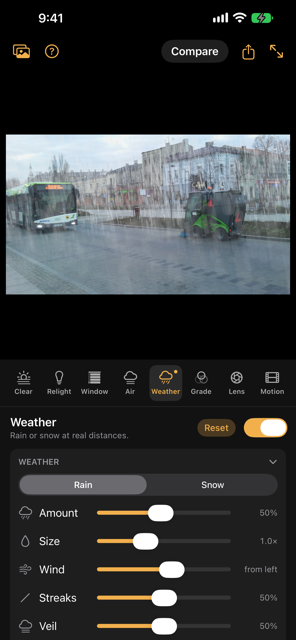
Weather on a town street: rain falling behind a bus and a street sweeper, thicker toward the buildings
WEATHER
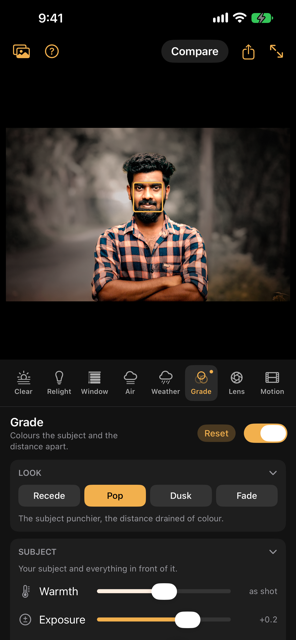
Grade on a man outdoors: the Pop look, his colours kept while the woods behind him are drained to grey
GRADE
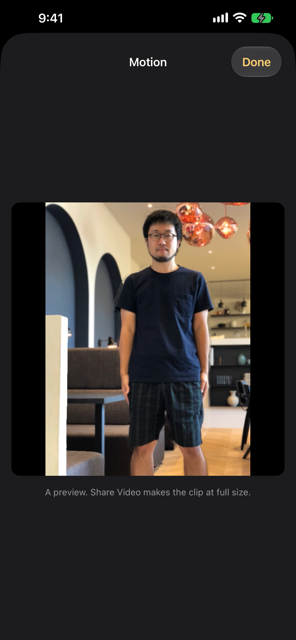
Motion playing a Vertigo clip of the man in the café: he keeps his size while the room behind him swells
MOTION
I

Window

Sun through blinds, panes or leaves, laid across your subject. The stripes bend over a face and jump where the wall behind begins, and your subject shades the wall, because each point takes its light from where it meets the window.

II

Weather

Rain or snow scattered through the air between you and the scene: near drops large and soft, far ones fine, every one behind your subject hidden by them, and heavy weather fading the distance.

III

Grade

Colour your subject and the distance apart, with no mask to draw. One grade for your subject and everything in front of them, another that comes in with distance behind — so no halo round the subject, and the floor in front stays with them.

IV

Motion

A short looping clip from the still: a push-in, a sway, or a Vertigo zoom. Your subject is cut out cleanly and stays put while the background moves behind them; what they hid is filled from the background around it, never invented.

On the bigger screen

Room for the photo

On iPad the photo gets most of the screen. Each tool's controls sit in sections that fold away, and the whole panel folds away when you want to judge the picture.

Rake Plus on iPad with Lens: the café photo focused on the man, with the focus and character controls below
LENS ON IPAD
Rake Plus on iPad with Air: the forest path in fog with a beam of light, and the fog and sun controls below
AIR ON IPAD

New to it? A short guide opens the first time and explains every tool and control. The support page answers the rest, including how to keep a photo's depth when you AirDrop it.

Your photos stay yours

Photos come in through the system picker, one at a time, and are worked on in memory on your device, estimating depth included. Nothing is uploaded, because there is nowhere to upload to: no accounts, no analytics and no advertising. The only connection is Apple's App Store, for the optional Rake Plus Pro purchase. No credits, no subscription.

Read the full Privacy Policy