PDFs, on iPhone, iPad and Mac
Hola PDF scans a page straight and clean, reads its text so you can search everything you have scanned, and gives you the tools to mark documents up, sign them and lock them with a password. All of it on your device, with no account and nothing uploaded. In English and Spanish.
The tools
Your PDFs are real files, in the Hola PDF folder of the Files app, and every mark you add is a standard PDF annotation. What you make in Hola PDF opens in any other PDF app.
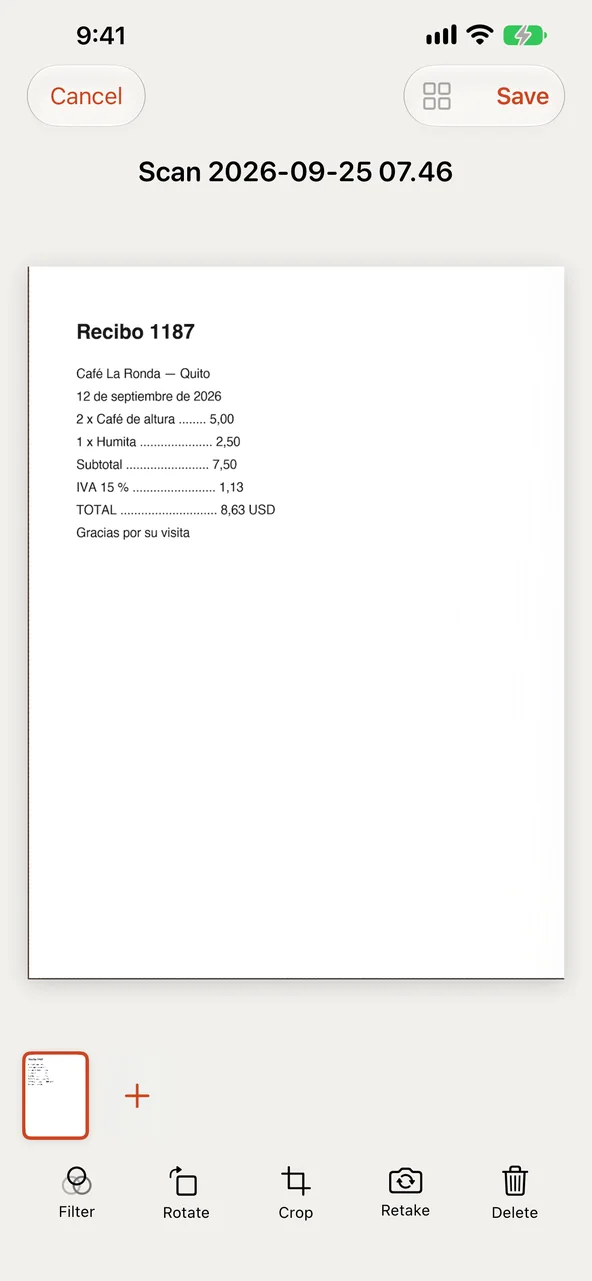
The document camera finds the page, straightens it and shoots. Or start from photos and image files, and Hola PDF finds the page in the picture and crops it. Color, grayscale, black and white with the shadows taken out, or the photo as it was taken.
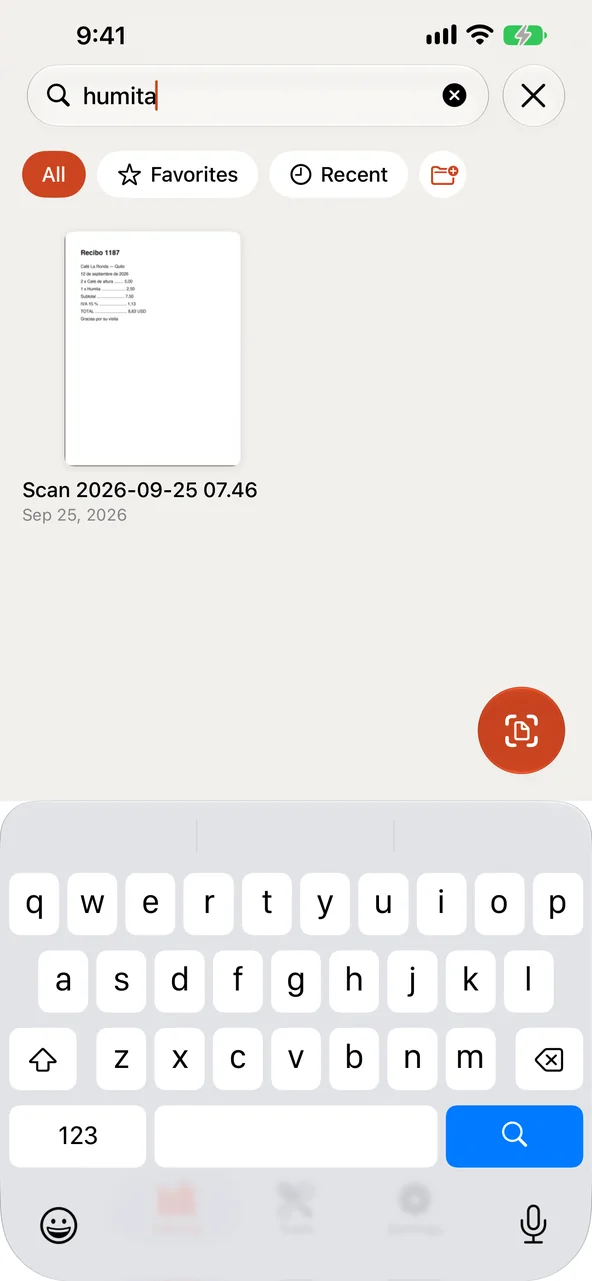
The text of every scan is read on your device, in English, Spanish and more, so the library search finds documents by what they say, not only by their titles. PDFs from other scanners are read too, and your documents' text shows up in Spotlight.
Highlight, underline and strike out text. Pen and marker, rectangles, ovals, lines and arrows. Text boxes, notes and today's date. Move, resize or delete any mark, with undo.
Draw your signature, type it in a handwriting style, or photograph it on paper. It is kept in your Keychain and placed on the line you tap.
Drag pages into order, rotate, duplicate and delete them, add blank pages, or scan new pages straight into a document. Merge documents in the order you choose; with Pro, split them and extract pages.
Lock the app with Face ID, Touch ID or your passcode. With Pro, lock a PDF with a password, encrypted with AES-256, with its own rules for printing and copying.
A page in another language, on your device: beside the page as prose, or laid over its lines. English, Spanish, Portuguese, French, German and Italian, with the languages your device has downloaded for Translate.
When a document says when it expires, a passport, a policy, a warranty, Hola PDF notices, and one tap puts a reminder in the Reminders app: a week before, and on the day.
On iPhone
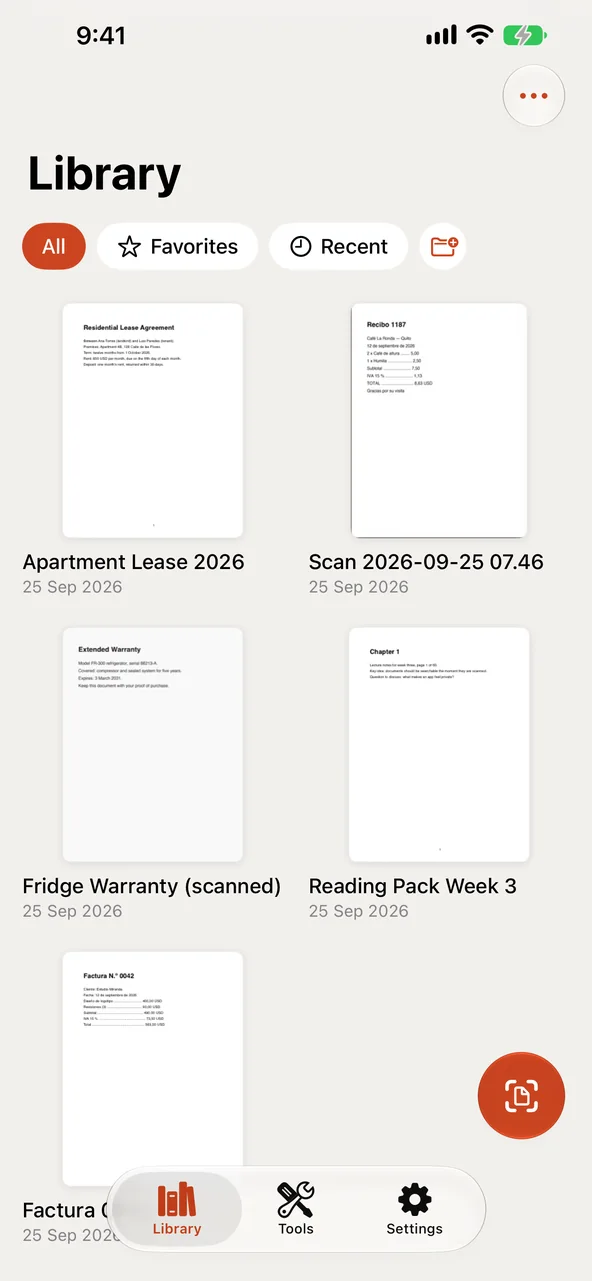
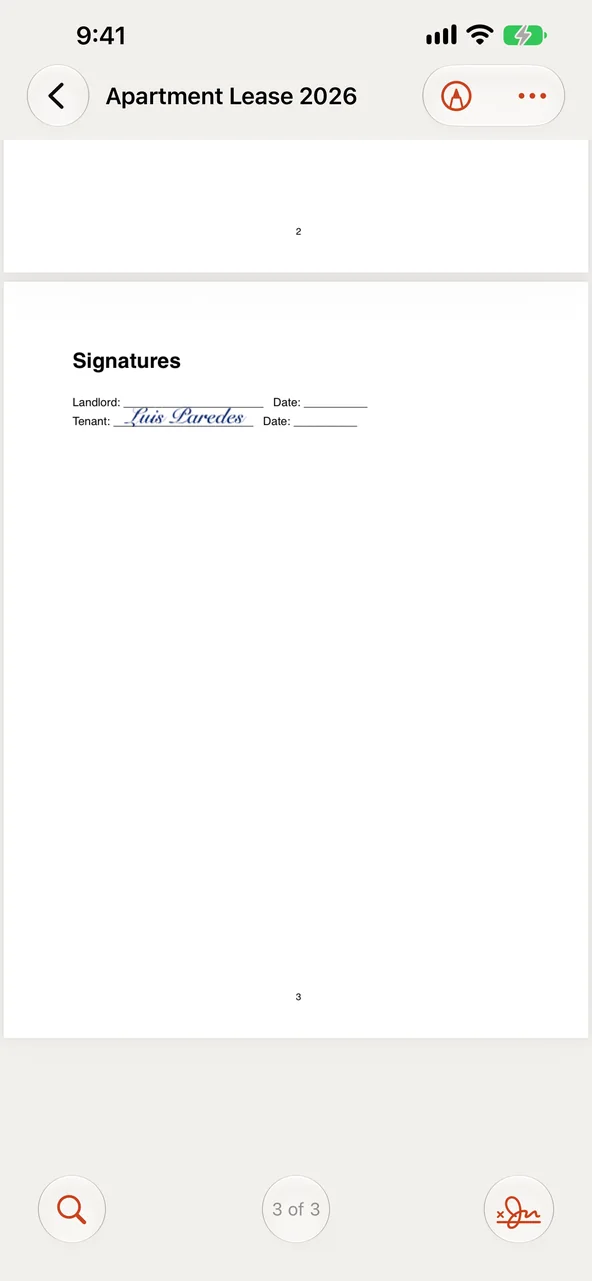
The Scan button is always a thumb away. In a document, the page gets the whole screen: Find, the page number and Sign sit at the bottom, and tapping the page number jumps to any page.
On iPad
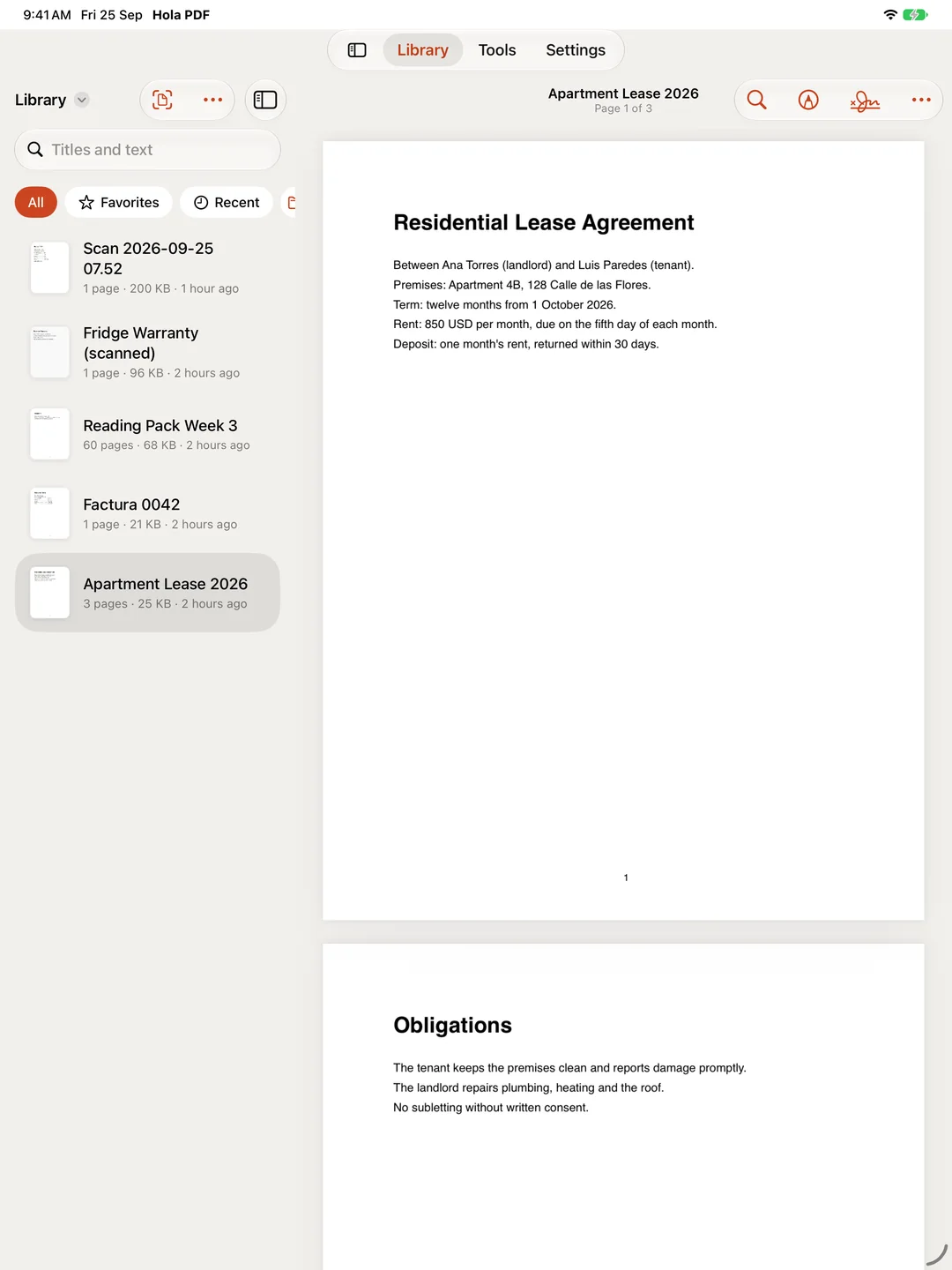
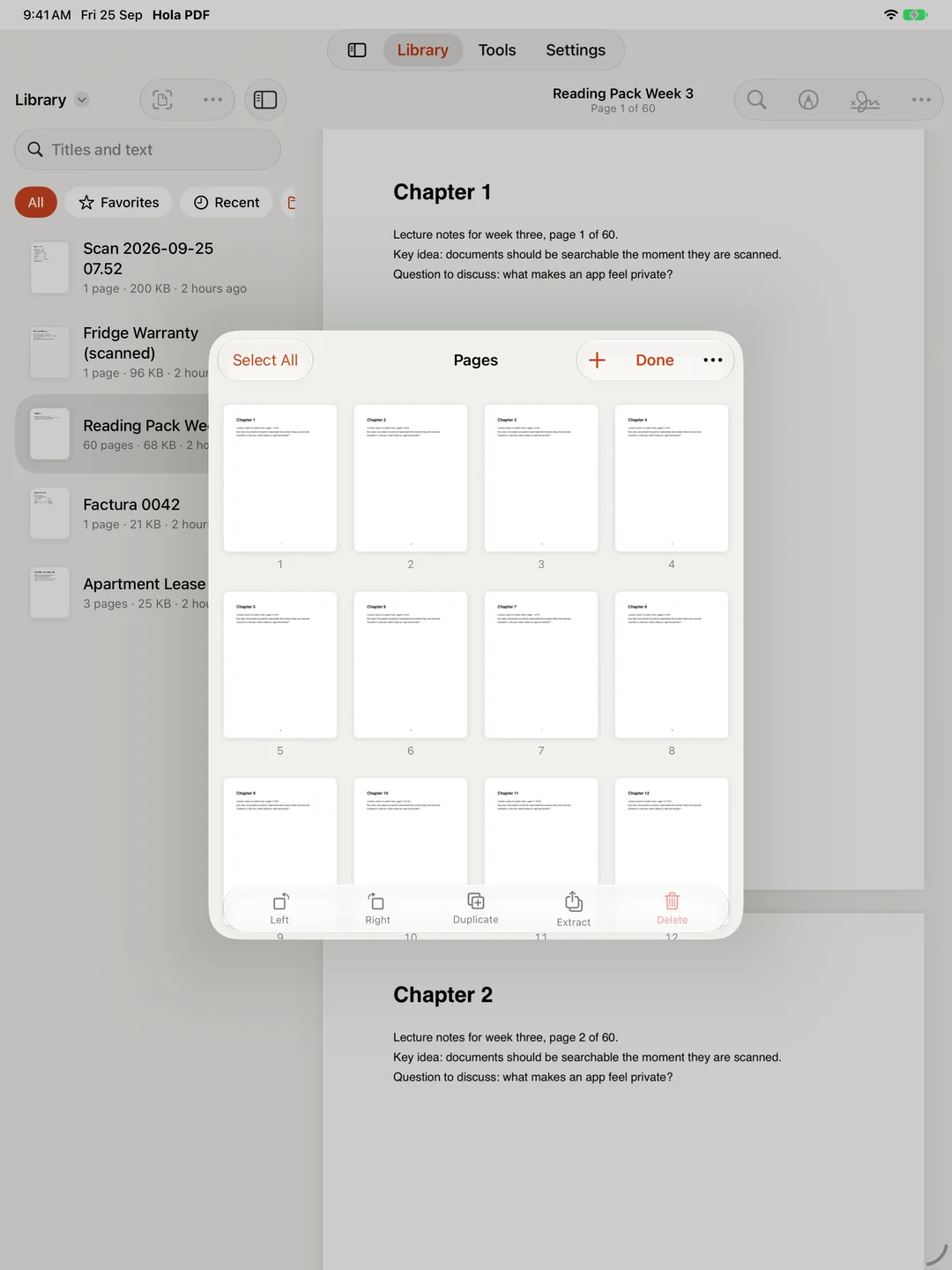
On iPad the library stays beside the document you are reading, with the page number under its title. Read one page at a time, continuously, or two pages side by side, and mark up with Apple Pencil. Organize Pages lays every page out to drag into order.
On the Mac
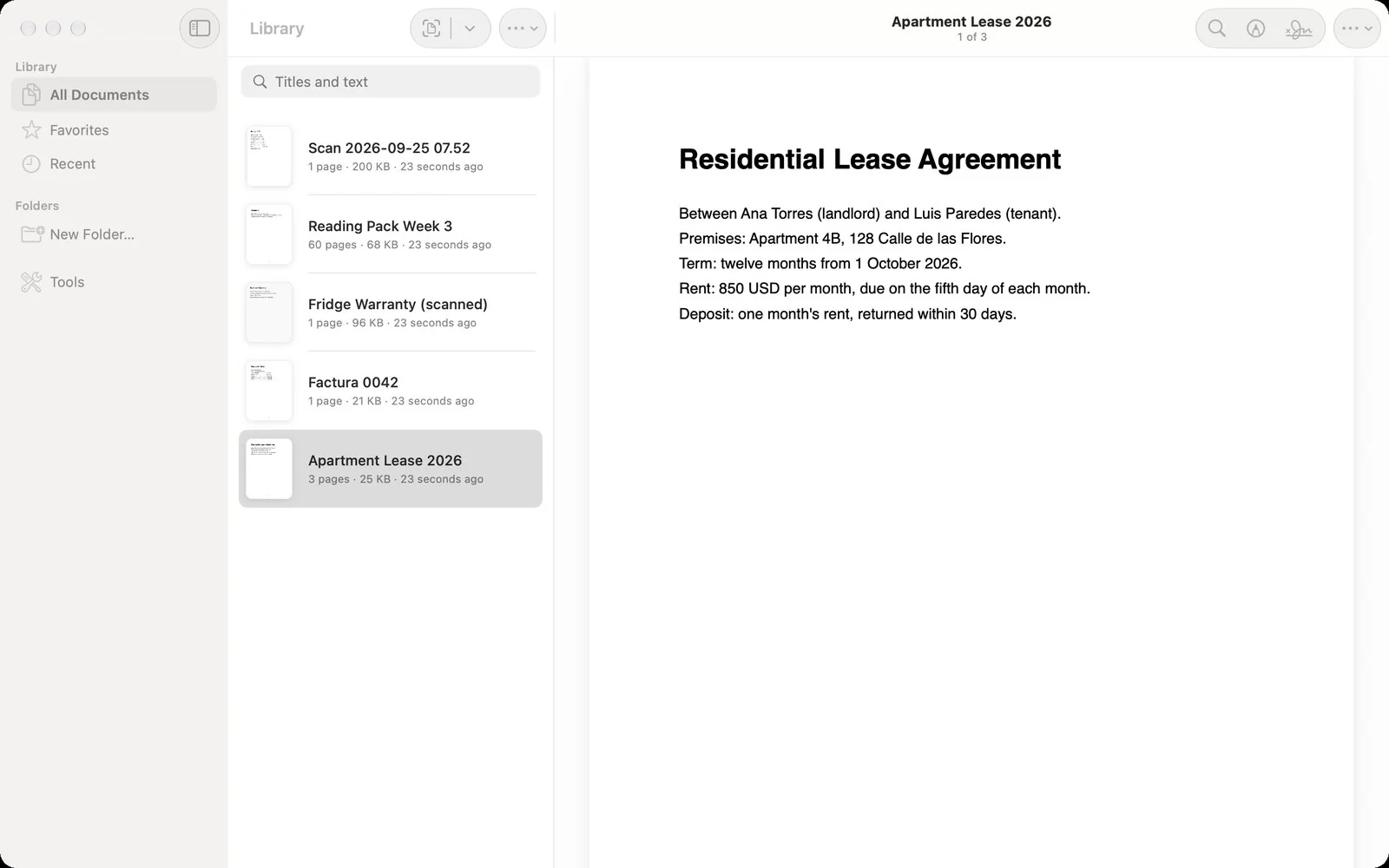
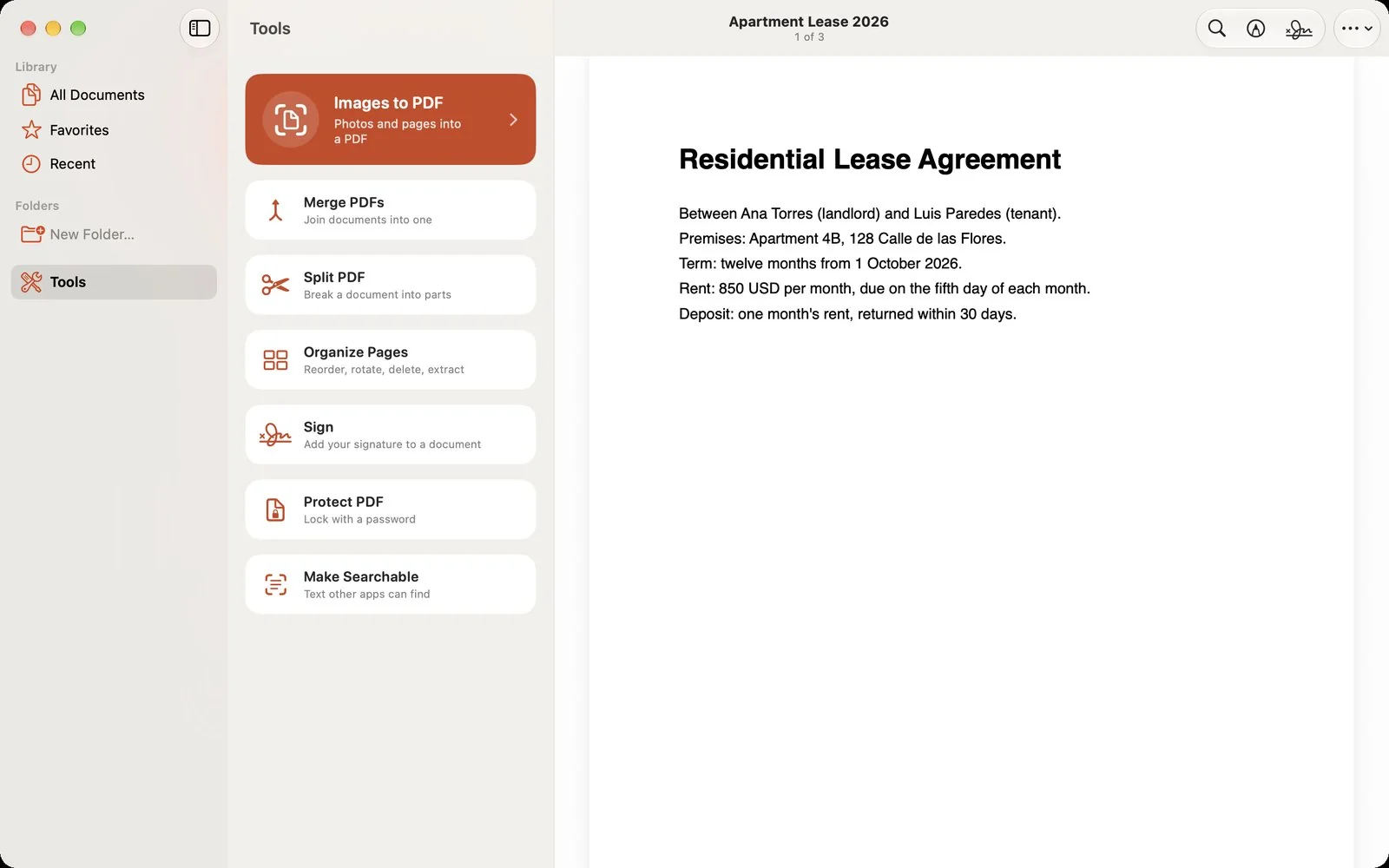
Three columns: Library, Favorites, Recent, your folders and tags and Tools in the sidebar, the documents, then the open page. The Document menu has the keyboard: ⌘F finds in the document, ⌥⌘F searches the library, ⌘↓ and ⌘↑ turn pages, ⌘D bookmarks one. Open a document in a window of its own when you want two side by side. A menu bar extra, if you turn it on, puts Images to PDF and your recent documents in reach from any app. Hola PDF Pro, bought once, unlocks the Mac too.
Hola PDF Pro
Scanning, reading, marking up, translating, reminders and sharing are free and stay free, with three signatures a month and one merge a day. Hola PDF Pro is an optional one-time purchase. It works on your iPhone, iPad and Mac, and with Family Sharing, and it opens only when you reach for something that needs it.
The text Hola PDF reads is written into the PDF itself, so any app can find it and copy it. Without Pro, the text is still read and searchable inside Hola PDF.
Lock a PDF with a password, encrypted with AES-256. Add a second password for changes, and decide whether it can be printed or copied from.
Break a document into parts by page ranges, or take pages out into a new one. The original stays as it was.
Tap a line on any page to fix a typo or change a date. The new words sit over the old ones in the same face and size, as a standard annotation any reader shows. The original words stay in the file beneath.
Place signature fields, then send the file any way you like: Messages, Mail, AirDrop. The other person's Hola PDF, free, walks them through the fields and sends the copy back with a signing record as its last page: who asked, who signed, when, on what, and the fingerprint of the file they received. No server, no link.
A summary of any document. Answers to your questions about it, from its text alone. A name and tags offered for every new scan. A receipt's merchant and total. And a library that answers plain words: "warranty for the fridge" finds the refrigerator's guarantee, whichever language it is in. On devices with Apple Intelligence; nothing leaves them.
As many signatures and merges as you need, every day.
Scans are made, read, summarized and translated on your device, and your library lives in your own storage: on your device, or in your iCloud Drive if you use it. Nothing is uploaded to us, because there is nowhere to upload to: no accounts, no analytics and no advertising. The only purchase is Hola PDF Pro, through Apple. No credits, no subscription.