
For Ecuador's bank rates and fees
Published rates.
One place.
Ecuador's banks and cooperatives each publish their rates and fees in documents of their own. Tasa Justa puts them in one place — term deposits from banks and cooperatives, savings accounts, loans and cards from the banks — ranked only by the published rate or fee, each linked to its document. The app is in Spanish, and it is on the App Store in Ecuador only.

What it does
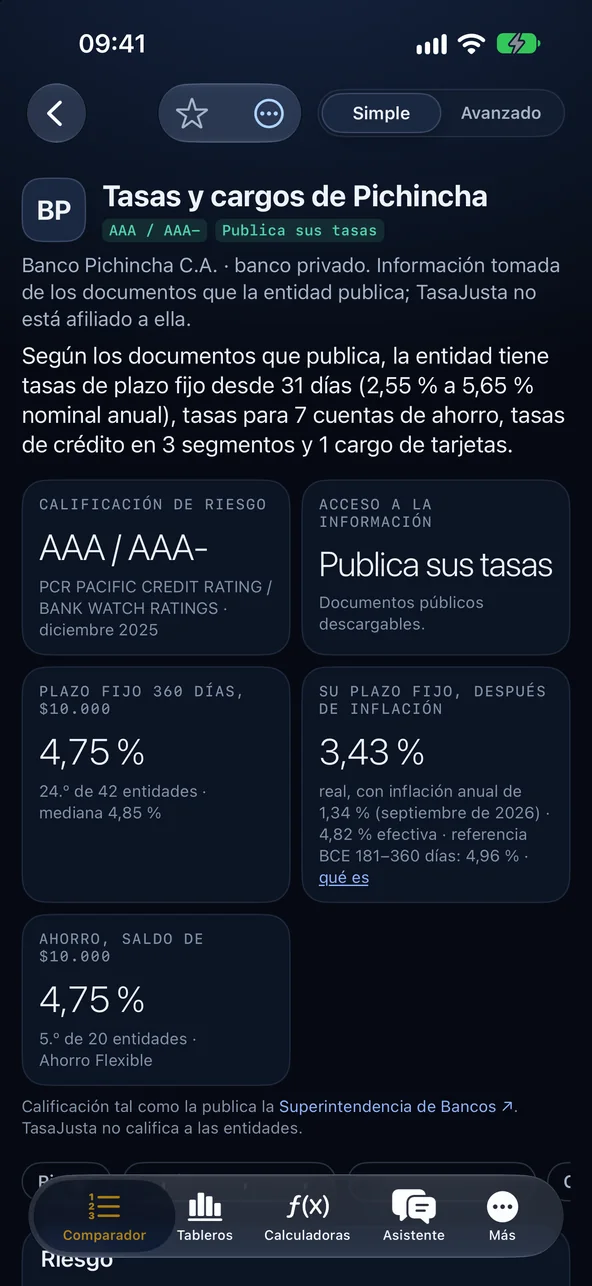
Published figures, each with its source
Comparador — term deposits, savings, loans and cards
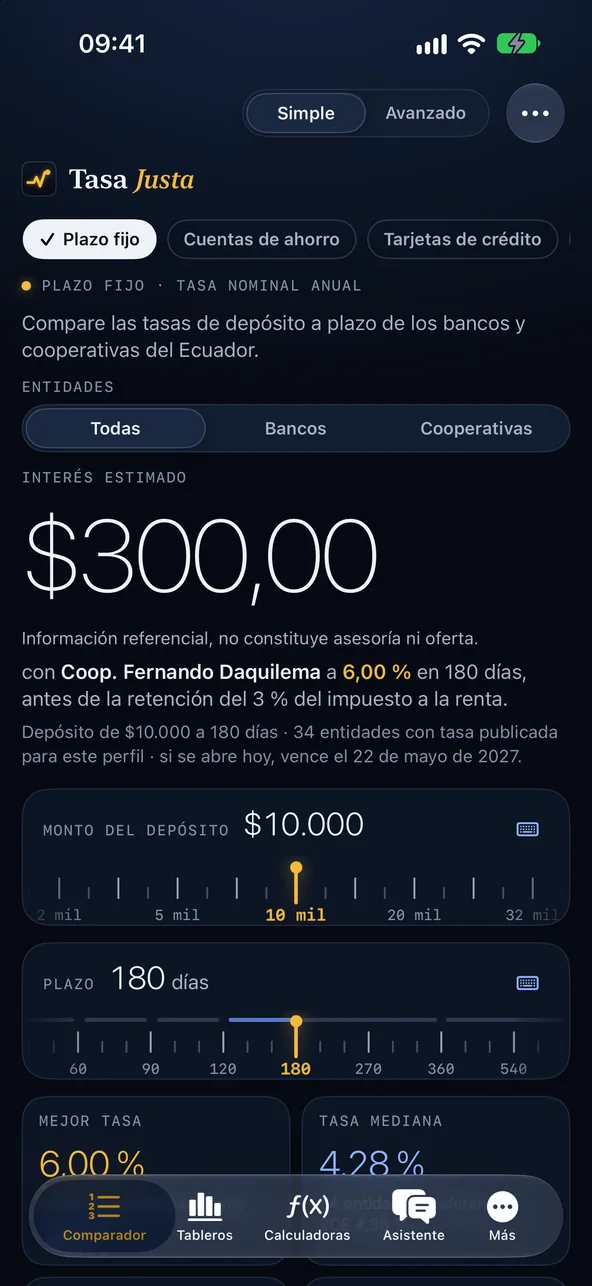
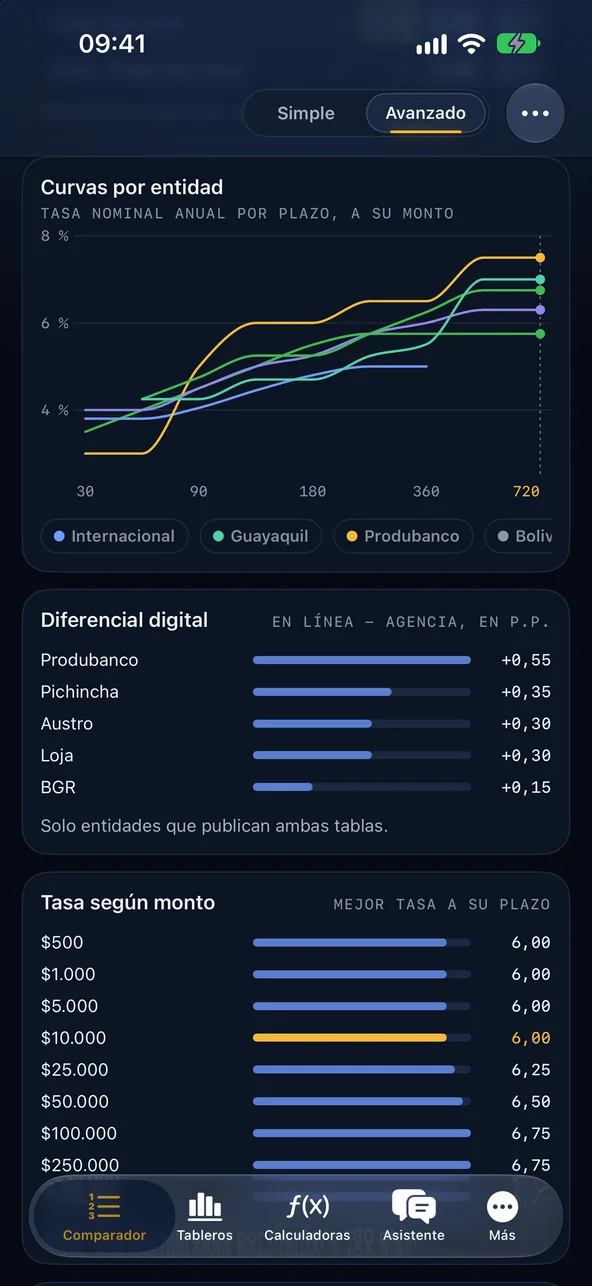
Choose an amount and a term, and the Comparador ranks the term deposits of the banks and of the segment 1 cooperatives, with the estimated interest, the highest published rate, the median and the Banco Central's reference rate. Savings accounts, loans by segment, and credit and debit cards are there for the banks. Every figure links to the document it came from.
A minimum risk rating is set to “A o mejor” by default, and ratings are shown as they are published. One choice — all institutions, banks only or cooperatives only — applies to the whole app. Since your last visit, the app shows what changed.
Simple or Avanzado
Simple shows the essentials. Avanzado adds every figure, with tables and curves by term.
Institutions — one page each, and side by side
Each institution's page has its rates and fees, its risk rating, the deposit insurance and, for the banks, their financial figures, with sources and documents. Comparar puts two to four institutions side by side, and a ★ keeps yours at hand in Mis bancos.
Eleven calculators, with the published rates
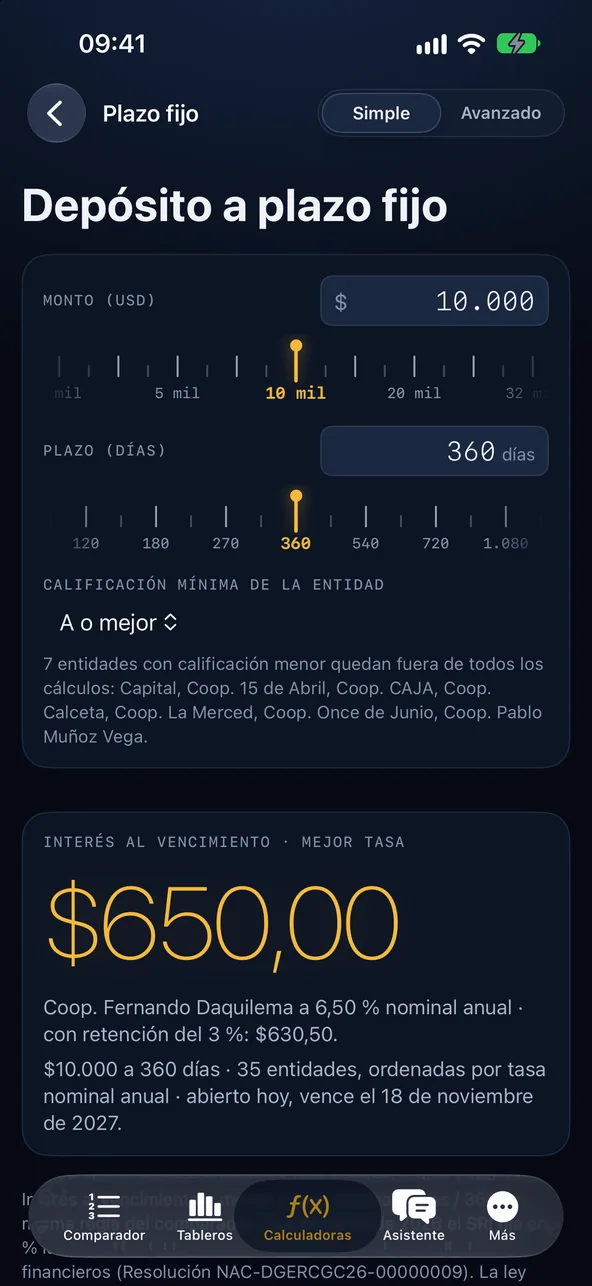
A term deposit, with the 3% withholding. Renewing a deposit or moving it to another institution, with a reminder for your calendar. Splitting a deposit within the deposit insurance. A ladder of terms, savings or a term deposit, and a savings goal. A loan with fixed payments and its amortization schedule, and switching loans. A deferred card purchase, the cost of a card over a year, and the yearly cost of your bank. Interest is an estimate on a 360-day basis.
Verificar un cargo — check a fee
Compare what your bank charged you with the fee it publishes. If the charge is higher, the app drafts a complaint for you to present at your bank's customer service. It is not legal advice.
Tableros
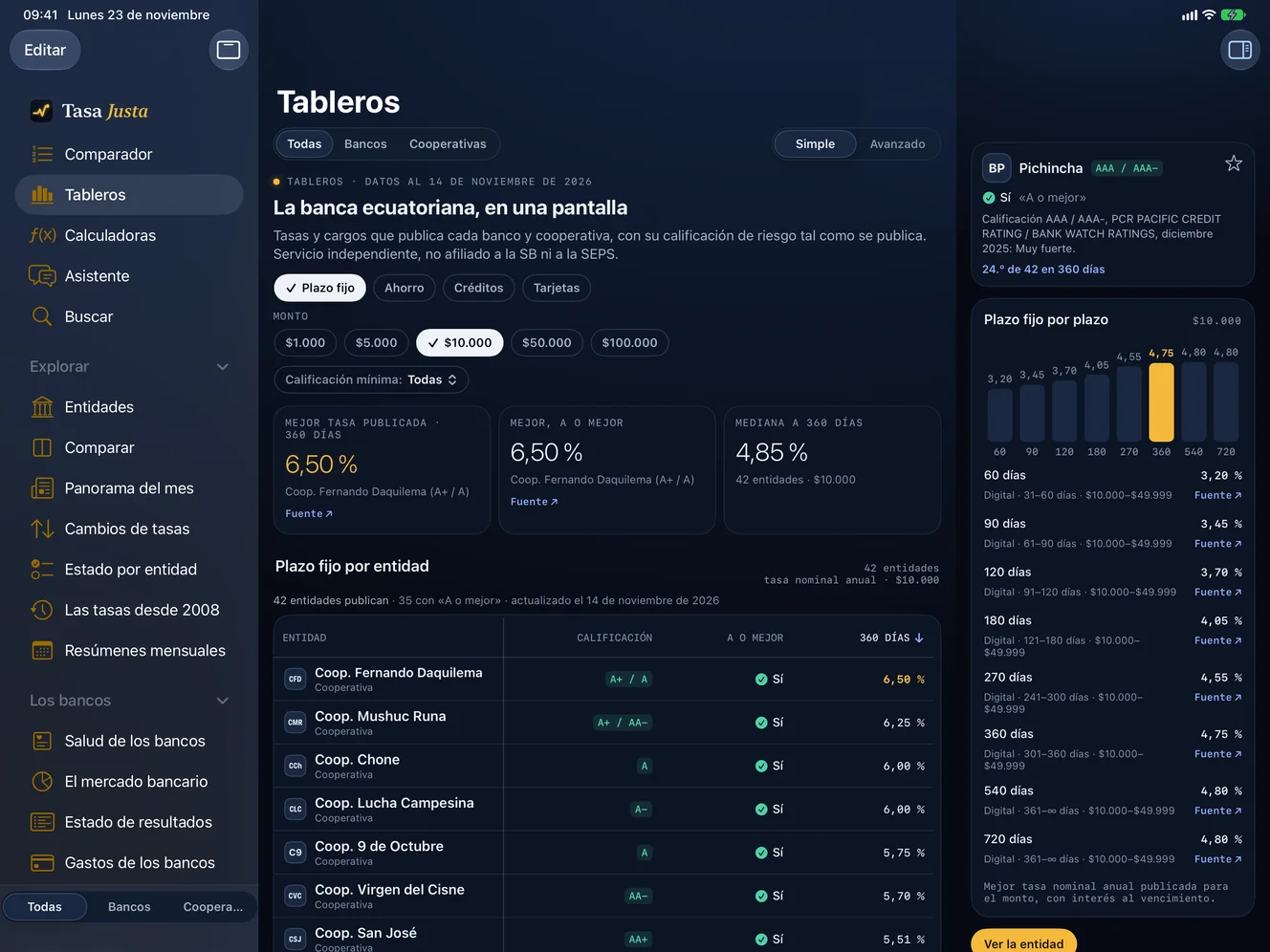
Term deposits, savings, loans and cards in tables you sort by column, at the amount you choose.
Asistente — ask in Spanish
Ask, for example, “¿Cuánto cuesta retirar en un cajero de otro banco?”. The assistant does not use artificial intelligence: it picks out the amount, the term, the product and the institution in your question and looks them up in the published data, on the device. It compares; it does not recommend.
Inside the banks, and for reference
Bank health, the banking market, income statements, expenses and profits, with the figures the Superintendencia de Bancos publishes. Then the month's overview, monthly summaries, rate changes, the status of each institution, services and fees, the Banco Central's rates since 2008, and a glossary.
On iPad
A sidebar, the list and the detail side by side, and several windows at once.
How it ranks
Only by the published figure
Offers are ordered only by the rate or fee each institution publishes: for deposits and savings, the nominal annual rate; for loans, the effective rate. Institutions pay nothing to appear. Each institution's official document always prevails.
The app comes with a copy of the data and works offline. The data is updated once a month; when you open the app, it looks for the new data at tasajusta.app.
TasaJusta is an independent service. It is not affiliated with, authorized or supervised by the Superintendencia de Bancos del Ecuador, the Superintendencia de Economía Popular y Solidaria, the Banco Central del Ecuador, COSEDE or any of the institutions listed. The information is for reference only and is not financial advice.
Tasa Justa
Free, with no in-app purchases and no subscription.
In a browser, tasajusta.app has the same data, in Spanish, with an English edition at tasajusta.app/en/.
More apps

Hola PDF
Scan a page straight and clean, search the text of everything you have scanned, then mark documents up, sign them and lock them with a password. Hola PDF Pro is one purchase, no subscription.
iPhone, iPad & Mac · iOS 26 · Free on the App Store
Sharp
Six tools for photographs shot more than once: stack the focus, average the noise away, clear the crowd out of a square, build star trails, blend an exposure bracket, or keep the sharpest frame of a burst.
iPhone & iPad · iOS 27 · Free on the App Store